MATLAB vs Python vs Plotivy: The Honest Truth
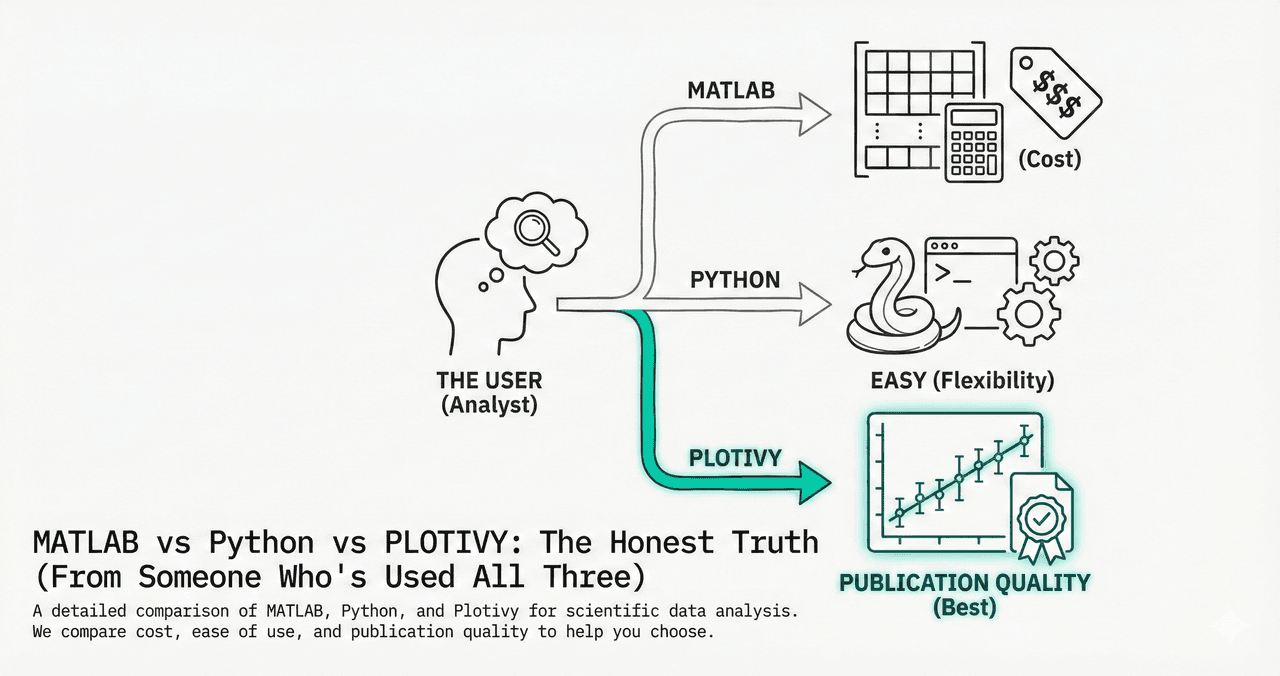
MATLAB costs $2,350/year. Python is free. Plotivy adds AI. After 10 years using all three, here is an honest breakdown of when each tool makes sense for scientific data analysis and visualization.
In This Article
0.Live Code: Subplots Comparison
1.MATLAB: Strengths and Limits
2.Python: The Open-Source Standard
3.Plotivy: AI-Powered Plotting
4.Feature Comparison Table
5.Which Should You Choose?
0. Live Code: MATLAB-Style Subplots in Python
Three panels showing Python equivalents of common MATLAB operations: contour plots, signal processing, and bar charts. Edit the code to see how familiar the syntax is.
1. MATLAB: Strengths and Limits
Strengths
- Best-in-class Simulink for control systems
- Signal Processing Toolbox is unmatched
- Matrix operations feel native
- Established in engineering curricula
Limitations
- - $2,350/year base + $1,000+ per toolbox
- - Proprietary: collaborators need licenses
- - Limited ML/AI ecosystem vs Python
- - 1-indexed arrays cause off-by-one bugs
2. Python: The Open-Source Standard
Try it
Try it now: turn this method into your next figure
Apply the same approach to your own dataset and generate clean, publication-ready code and plots in minutes.
Open in Plotivy Analyze →Newsletter
Get a weekly Python plotting tip
One concise tip each week for cleaner, faster scientific figures. Built for researchers who publish.
Strengths
- Free and open source (no license fees)
- Dominant ML/AI ecosystem (PyTorch, TF)
- Matplotlib + seaborn + plotly for viz
- Pandas for data wrangling
Limitations
- - Steeper initial learning curve
- - Environment management (venv, conda)
- - Slower for pure numerical loops
- - Matplotlib defaults need customization
3. Plotivy: AI-Powered Plotting
Plotivy sits on top of Python's ecosystem but removes the learning curve. Describe your figure in English, the AI writes the Matplotlib/Plotly code, and you edit/export the result.
AI Code Generation
Describe plots in plain English. No syntax to memorize.
Full Code Output
Every figure comes with editable, reproducible Python code.
Free to Start
No license fees. Upload data and generate figures immediately.
4. Feature Comparison Table
| Feature | MATLAB | Python | Plotivy |
|---|---|---|---|
| Price | $2,350+/yr | Free | Free tier |
| Learning Curve | Medium | Medium-High | Low |
| Plotting Quality | Good | Excellent | Excellent |
| ML / AI Libraries | Limited | Dominant | Via Python |
| Reproducibility | Scripts | Scripts + notebooks | Full code output |
| Collaboration | Requires licenses | Open source | Share via URL |
| Signal Processing | Excellent (toolbox) | Good (scipy) | Good (scipy) |
| Control Systems | Best (Simulink) | Adequate | N/A |
| Interactive Plots | App Designer | Plotly, Bokeh | Built-in |
5. Which Should You Choose?
MATLAB
Simulink has no real equivalent in Python
Python
PyTorch/TensorFlow ecosystem is unmatched
Plotivy
Describe in English, export at 600 DPI
MATLAB
Use what's graded. Learn Python on the side
Python + Plotivy
Both free. No $2,350/year license fees
Plotivy
AI + full code for complex layouts
Chart gallery
See What Python Can Do
Publication-ready chart templates you can customize instantly.

Scatterplot
A scatter plot displays two quantitative variables as points, helping you examine relationships, clusters, outliers, and regression trends.
Sample code / prompt
import matplotlib.pyplot as plt
import numpy as np
from scipy import stats
import pandas as pd

# Generate sample data
np.random.seed(42)
n_samples = 200
height = np.random.normal(170, 8, n_samples)
weight = height * 0.6 + np.random.normal(0, 8, n_samples) - 50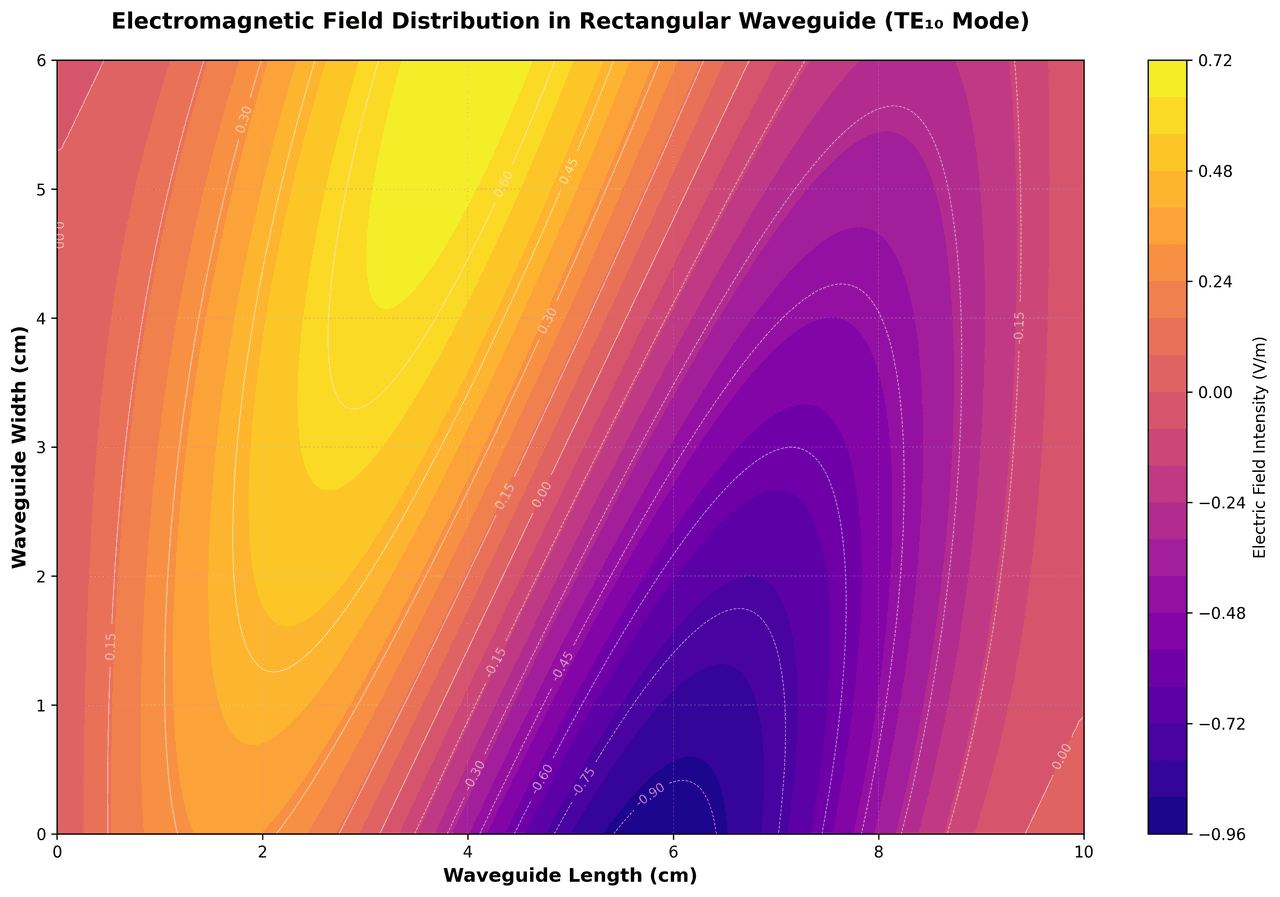
Contour Map
Displays three-dimensional data in two dimensions using contour lines connecting points of equal value.
Sample code / prompt
import matplotlib.pyplot as plt
import numpy as np

# Create electromagnetic field distribution in a rectangular waveguide
x = np.linspace(0, 10, 200)
y = np.linspace(0, 6, 120)
X, Y = np.meshgrid(x, y)

# TE10 mode in rectangular waveguide - dominant mode
# Electric field pattern
Heatmap
Represents data values as colors in a two-dimensional matrix format.
Sample code / prompt
import matplotlib.pyplot as plt
import seaborn as sns
import pandas as pd
import numpy as np

# Create correlation matrix for financial metrics
metrics = ['Revenue', 'Profit', 'Expenses', 'ROI', 'Customers', 'AOV', 'Marketing', 'Employees']
correlation_data = np.array([
    [1.00, 0.85, -0.45, 0.72, 0.88, 0.65, 0.72, 0.55],
    [0.85, 1.00, -0.78, 0.92, 0.75, 0.58, 0.63, 0.48],
Line Graph
Create a line graph in Python to connect ordered data points, reveal time-series trends, and compare how multiple values change across a continuous scale.
Sample code / prompt
import matplotlib.pyplot as plt
import numpy as np

# Generate temperature data for 3 major US cities over 12 months
months = ['Jan', 'Feb', 'Mar', 'Apr', 'May', 'Jun', 'Jul', 'Aug', 'Sep', 'Oct', 'Nov', 'Dec']
nyc = [30, 32, 40, 52, 65, 75, 82, 81, 74, 63, 50, 38]
miami = [65, 66, 70, 76, 82, 87, 90, 90, 87, 80, 72, 66]
chicago = [25, 27, 35, 48, 62, 72, 80, 79, 71, 60, 45, 32]

# Create figure with enhanced styling
Bar Chart
Create a bar chart in Python to compare categorical values with proportional bars, error bars, clear labels, and grouped comparisons.
Sample code / prompt
import numpy as np
import pandas as pd
import matplotlib.pyplot as plt
import seaborn as sns
from scipy import stats

# Generate performance scores for 5 treatment groups
np.random.seed(42)
groups = ['Control', 'Treatment A', 'Treatment B', 'Treatment C', 'Treatment D']
n_samples = 30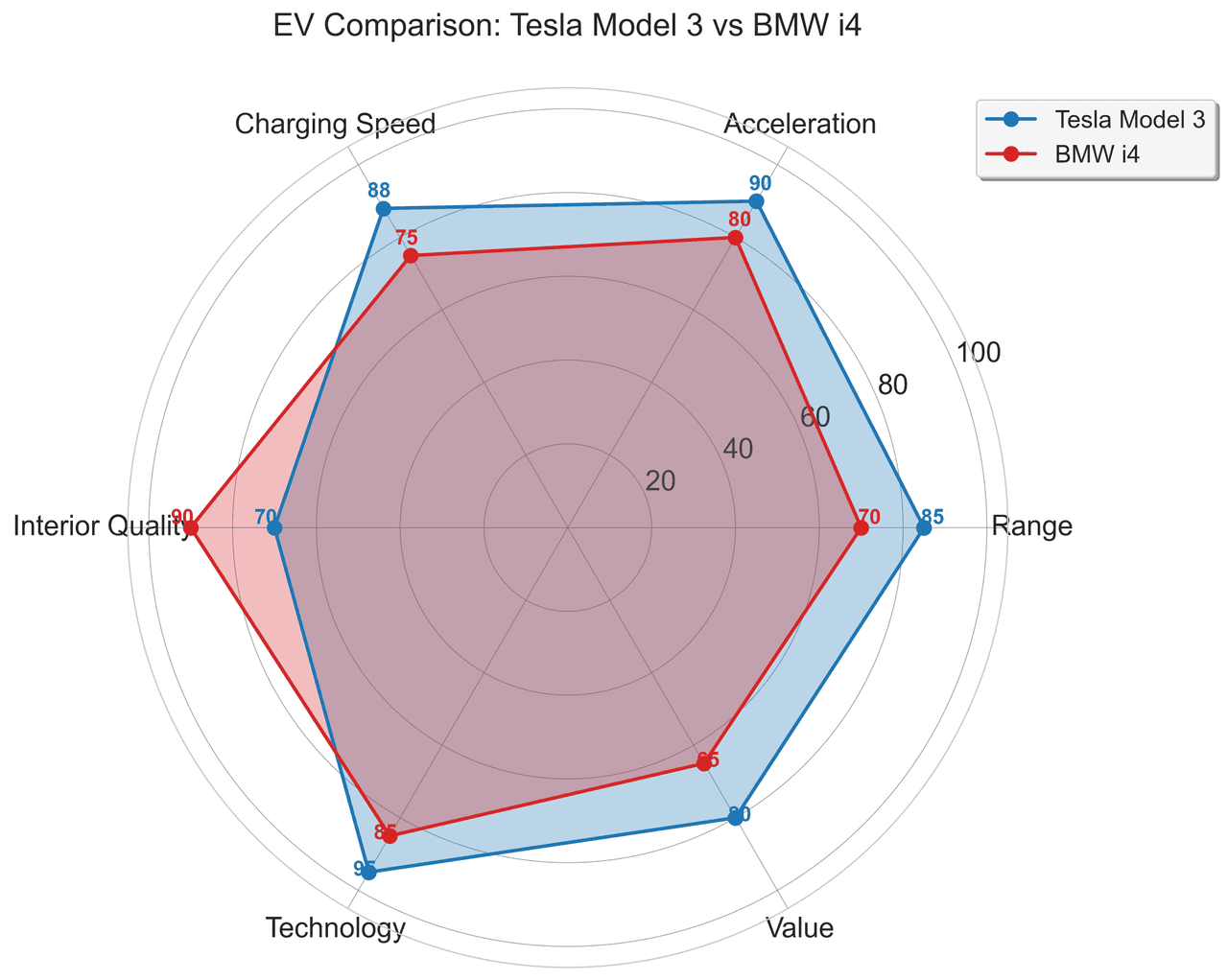
Radar Chart
Create a radar chart in Python to compare multivariate profiles on radial axes, with consistent scales and clear labels for each metric.
Sample code / prompt
import numpy as np
import matplotlib.pyplot as plt
from matplotlib.patches import Circle
import pandas as pd

# EV Model comparison data (0-100 scale)
categories = ['Range', 'Acceleration', 'Charging Speed',
              'Interior Quality', 'Technology', 'Value']
tesla_scores = [85, 90, 88, 70, 95, 80]
bmw_scores = [70, 80, 75, 90, 85, 65]Try the AI Alternative
Upload data, describe your plot, get publication-ready Python code. No MATLAB license needed.
Technique guides scientists read next
scipy.signal.find_peaks guide
Tune prominence and width parameters for robust peak extraction.
Savitzky-Golay smoothing
Reduce noise while preserving peak shape and position.
PCA visualization workflow
Move from high-dimensional measurements to interpretable components.
ANOVA with post-hoc brackets
Add statistically correct pairwise significance annotations.
Found this helpful? Share it with your network.
Experimental Physicist & Photonics Researcher
Hands-on experience in silicon photonics, semiconductor fabrication (DRIE/ICP-RIE), optical simulation, and data-driven analysis. Built Plotivy to help researchers focus on discoveries instead of data struggles.
More about the authorVisualize your own data
Apply the techniques from this article to your own datasets. Upload CSV, Excel, or paste data directly.