Dispersion Relation Plot
Chart overview
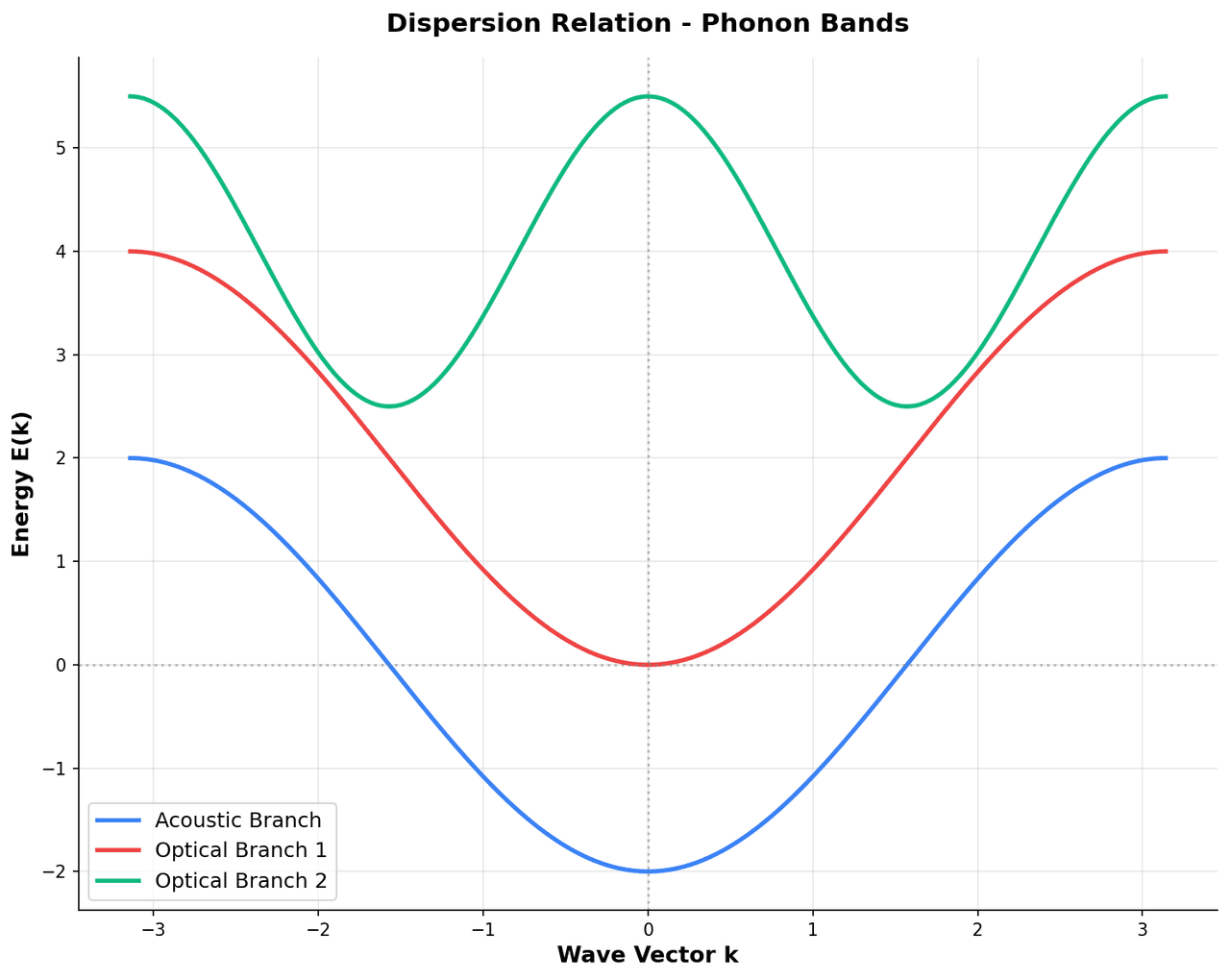
Dispersion relations describe how the energy or frequency of quasiparticles varies with wave vector throughout the Brillouin zone.
Key points
- For phonons they reveal acoustic and optical branch behavior, sound velocities, and phonon gaps; for electrons they define bandwidths, effective masses, and density-of-states features.
- These plots are standard outputs of density functional theory, lattice dynamics codes, and inelastic neutron or X-ray scattering experiments, forming the basis for understanding thermal conductivity, electron-phonon coupling, and phase transitions.
Create a Dispersion Relation Plot with your data using AI — no coding required.
Further reading
Python Scatter Plot Tutorial
Build scatter plots with regression overlays, color encodings, and uncertainty bars.
Read the guideExample Visualization
Create This Chart Now
Generate publication-ready dispersion relation plots with AI in seconds. No coding required – just describe your data and let AI do the work.
View example prompt
"Create a publication-quality dispersion relation plot from my data. Plot energy or frequency on the y-axis versus wave vector on the x-axis along the high-symmetry path. Mark high-symmetry points (e.g., Gamma, X, M, K, L) as labeled vertical dashed lines. Use distinct colors or line styles for different branches. Add axis labels 'Wave Vector' and 'Energy (eV)' or 'Frequency (THz)'. Include a legend for acoustic and optical modes if applicable. Use a white background and professional styling."
How to create this chart with your data
Upload Data
Upload your Excel or CSV file. Data used to generate charts is sent to Plotivy's server for processing.
AI Generation
Our AI analyzes your data and generates the Dispersion Relation Plot code automatically.
Customize & Export
Tweak the design with natural language, then export as high-res PNG, SVG or PDF.
Newsletter
Get one weekly tip for better dispersion relation plots
Join researchers receiving concise Python plotting techniques to improve chart clarity and reduce revision cycles.
Python Code Example
Console Output
Figure saved: plotivy-dispersion-relation-plot.png
Common Use Cases
- 1Extracting phonon group velocities and thermal conductivity limits
- 2Identifying phonon softening and structural phase transition precursors
- 3Comparing inelastic neutron scattering data to lattice dynamics calculations
- 4Determining electron effective masses and band curvatures near extrema
Pro Tips
Fold the x-axis at high-symmetry points with labeled vertical lines for clarity
Use thin lines for many branches and increase linewidth for highlighted modes
Shade the projected bulk continuum gray when plotting surface states
Add a projected density of states panel on the right by sharing the y-axis
Frequently asked questions
When should you use a dispersion relation plot?
Dispersion relations describe how the energy or frequency of quasiparticles varies with wave vector throughout the Brillouin zone. For phonons they reveal acoustic and optical branch behavior, sound velocities, and phonon gaps; for electrons they define bandwidths, effective masses, and density-of-states features. Common applications include extracting phonon group velocities and thermal conductivity limits, identifying phonon softening and structural phase transition precursors, and comparing inelastic neutron scattering data to lattice dynamics calculations.
Which Python libraries can create a dispersion relation plot?
A dispersion relation plot can be built in Python with matplotlib and numpy — matplotlib for precise control over axes, annotations, and journal styling and numpy. In Plotivy you describe the figure and it writes the matplotlib code for you.
Can I make a dispersion relation plot without writing Python code?
Yes. Describe the dispersion relation plot you need in plain language and upload your dataset — Plotivy's AI writes the Python code and renders a publication-ready figure. You still get the full, editable matplotlib source, so nothing is locked in a black box.
What are best practices for a clear dispersion relation plot?
Fold the x-axis at high-symmetry points with labeled vertical lines for clarity. Use thin lines for many branches and increase linewidth for highlighted modes.
Library comparison for this chart
matplotlib
Best when you need full control over axis formatting, annotation placement, and journal-specific styling for dispersion-relation-plot.
numpy
Useful in specialized workflows that complement core Python plotting libraries for dispersion-relation-plot analysis tasks.
Scientific Chart Selection Cheat Sheet
Not sure whether to use a Violin Plot, Box Plot, or Ridge Plot? Download our single-page reference mapping the most-used scientific chart types, exactly when to use them, and the core Matplotlib/Seaborn functions.