Hexbin Plot
Chart overview
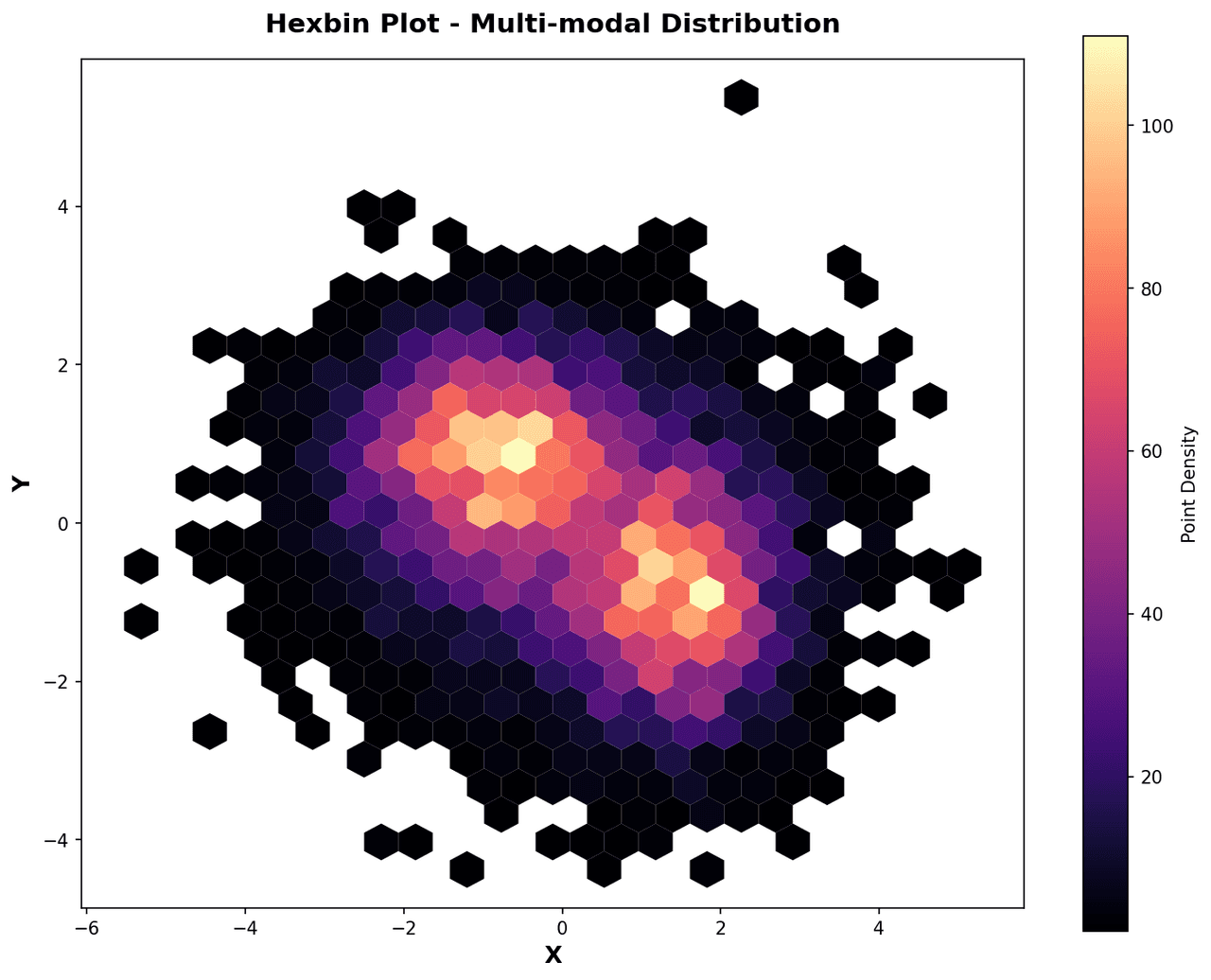
A hexbin plot divides the two-dimensional space into a regular grid of hexagonal bins and colors each hexagon according to the number of data points (or a summary statistic) that fall within it.
Key points
- Hexagons tile the plane more efficiently than squares: they are equidistant from the center to all six neighbors, producing less visual distortion at bin edges and making density gradients appear smoother.
- This makes hexbin plots the preferred solution for visualizing tens of thousands to millions of points where a conventional scatter plot would be an opaque blob of overplotted marks.
- In single-cell genomics, hexbin plots display UMAP or t-SNE embeddings density when large atlas-scale datasets are involved.
Practical guidance
In mass spectrometry, they show retention time vs. m/z feature space density. In imaging-based phenomics, hexbin plots reveal correlations between morphological features measured from millions of cells. Color maps from white/yellow through orange to dark red or purple give an intuitive density scale.
Create a Hexbin Plot with your data using AI — no coding required.
Further reading
Python Scatter Plot Tutorial
Build scatter plots with regression overlays, color encodings, and uncertainty bars.
Read the guideExample Visualization
Create This Chart Now
Generate publication-ready hexbin plots with AI in seconds. No coding required – just describe your data and let AI do the work.
View example prompt
"Create a hexbin plot from my large single-cell RNA-seq dataset showing the joint distribution of two gene expression values. Use gridsize=50 and viridis colormap from white (low density) to dark purple (high density). Add a colorbar labeled 'Cell Count'. Overlay contour lines for the 25th, 50th, and 75th density percentiles. Label axes with gene names. Output at 300 DPI for publication."
How to create this chart with your data
Upload Data
Upload your Excel or CSV file. Data used to generate charts is sent to Plotivy's server for processing.
AI Generation
Our AI analyzes your data and generates the Hexbin Plot code automatically.
Customize & Export
Tweak the design with natural language, then export as high-res PNG, SVG or PDF.
Newsletter
Get one weekly tip for better hexbin plots
Join researchers receiving concise Python plotting techniques to improve chart clarity and reduce revision cycles.
Python Code Example
Console Output
Figure saved: plotivy-hexbin-plot.png
Common Use Cases
- 1Single-cell RNA-seq: visualizing co-expression of two marker genes across hundreds of thousands of cells
- 2Mass spectrometry: displaying m/z vs. retention time feature density for untargeted metabolomics
- 3High-content imaging phenomics: correlating two morphological features measured from millions of cells
- 4GWAS: joint density of effect size estimates from two independent GWAS cohorts for genetic correlation
Pro Tips
Choose the grid size based on data density: a coarse grid can hide detail, while a fine grid can leave many sparse hexagons
Use mincnt=1, as in the example, when empty bins should remain visually distinct from populated bins
Include a labeled colorbar so readers can interpret the point count or summary statistic encoded by each hexagon
For log-distributed data, transform both axes before binning when outliers would otherwise dominate the density pattern
Compare the hexbin view with the related scatter plot, density plot, or histogram when readers need another view of the distribution
Frequently asked questions
When should you use a hexbin plot?
A hexbin plot divides the two-dimensional space into a regular grid of hexagonal bins and colors each hexagon according to the number of data points (or a summary statistic) that fall within it. Hexagons tile the plane more efficiently than squares: they are equidistant from the center to all six neighbors, producing less visual distortion at bin edges and making density gradients appear smoother. Common applications include single-cell RNA-seq: visualizing co-expression of two marker genes across hundreds of thousands of cells, mass spectrometry: displaying m/z vs. retention time feature density for untargeted metabolomics, and high-content imaging phenomics: correlating two morphological features measured from millions of cells.
Which Python libraries can create a hexbin plot?
A hexbin plot can be built in Python with matplotlib, numpy, and pandas — matplotlib for precise control over axes, annotations, and journal styling, numpy, and pandas for quick plots straight from a DataFrame. In Plotivy you describe the figure and it writes the matplotlib code for you.
Can I make a hexbin plot without writing Python code?
Yes. Describe the hexbin plot you need in plain language and upload your dataset — Plotivy's AI writes the Python code and renders a publication-ready figure. You still get the full, editable matplotlib source, so nothing is locked in a black box.
What are best practices for a clear hexbin plot?
Choose the grid size based on data density: a coarse grid can hide detail, while a fine grid can leave many sparse hexagons. Use mincnt=1, as in the example, when empty bins should remain visually distinct from populated bins.
Library comparison for this chart
matplotlib
Best when you need full control over axis formatting, annotation placement, and journal-specific styling for hexbin-plot.
numpy
Useful in specialized workflows that complement core Python plotting libraries for hexbin-plot analysis tasks.
pandas
Good for quick exploratory drafts directly from DataFrame operations before polishing in matplotlib or plotly.
Scientific Chart Selection Cheat Sheet
Not sure whether to use a Violin Plot, Box Plot, or Ridge Plot? Download our single-page reference mapping the most-used scientific chart types, exactly when to use them, and the core Matplotlib/Seaborn functions.