UMAP Plot
Chart overview
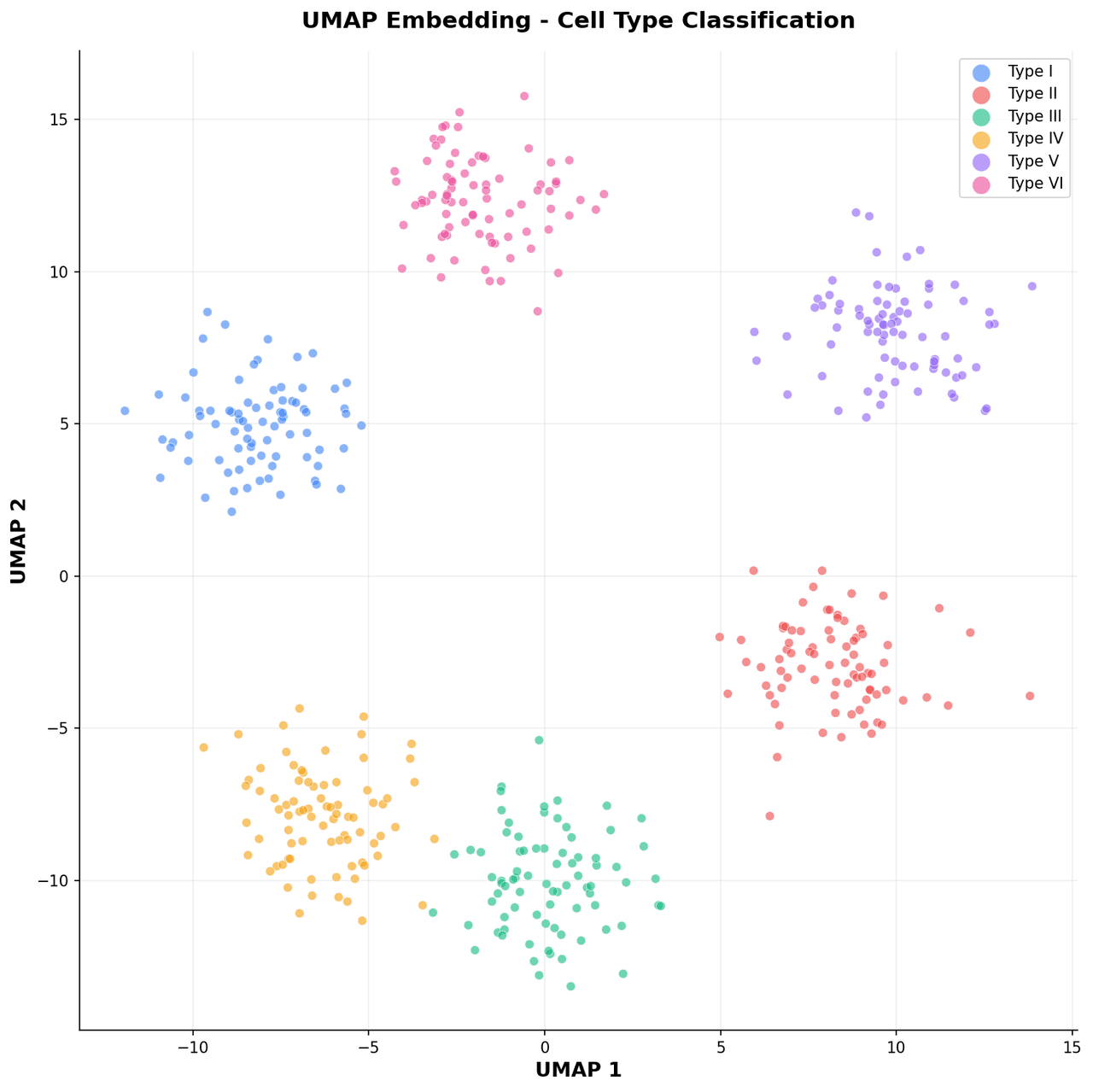
UMAP produces 2D embeddings that preserve both local neighborhood structure and more global topological relationships compared with t-SNE.
Key points
- Researchers in genomics, chemistry, and deep learning use UMAP to explore high-dimensional datasets at scale, since it is substantially faster and produces embeddings where inter-cluster distances carry more meaning.
- It has become the standard dimensionality reduction visualization in modern single-cell biology pipelines.
Create a UMAP Plot with your data using AI — no coding required.
Further reading
Python Scatter Plot Tutorial
Build scatter plots with regression overlays, color encodings, and uncertainty bars.
Read the guideExample Visualization
Create This Chart Now
Generate publication-ready umap plots with AI in seconds. No coding required – just describe your data and let AI do the work.
View example prompt
"Create a UMAP scatter plot from my embedding data. Color points by category using a qualitative colormap, add a labeled legend, annotate cluster centroids with category names, and display n_neighbors and min_dist parameters in the subtitle."
How to create this chart with your data
Upload Data
Upload your Excel or CSV file. Data used to generate charts is sent to Plotivy's server for processing.
AI Generation
Our AI analyzes your data and generates the UMAP Plot code automatically.
Customize & Export
Tweak the design with natural language, then export as high-res PNG, SVG or PDF.
Newsletter
Get one weekly tip for better umap plots
Join researchers receiving concise Python plotting techniques to improve chart clarity and reduce revision cycles.
Python Code Example
Console Output
Figure saved: plotivy-umap-plot.png
Common Use Cases
- 1Visualizing protein sequence embeddings colored by functional family
- 2Exploring chemical compound space in drug discovery datasets
- 3Inspecting latent space structure of a variational autoencoder
- 4Comparing UMAP layouts with different n_neighbors values for cell atlas data
Pro Tips
Set min_dist=0.1 for tighter clusters and min_dist=0.5 for a more spread layout
Use larger point markers when plotting more than 100,000 points
Apply a density-based overlay to highlight the densest regions
Always fix random_state for reproducibility across runs and collaborators
Frequently asked questions
When should you use a UMAP plot?
UMAP produces 2D embeddings that preserve both local neighborhood structure and more global topological relationships compared with t-SNE. Researchers in genomics, chemistry, and deep learning use UMAP to explore high-dimensional datasets at scale, since it is substantially faster and produces embeddings where inter-cluster distances carry more meaning. Common applications include visualizing protein sequence embeddings colored by functional family, exploring chemical compound space in drug discovery datasets, and inspecting latent space structure of a variational autoencoder.
Which Python libraries can create a UMAP plot?
A UMAP plot can be built in Python with matplotlib and numpy — matplotlib for precise control over axes, annotations, and journal styling and numpy. In Plotivy you describe the figure and it writes the matplotlib code for you.
Can I make a UMAP plot without writing Python code?
Yes. Describe the UMAP plot you need in plain language and upload your dataset — Plotivy's AI writes the Python code and renders a publication-ready figure. You still get the full, editable matplotlib source, so nothing is locked in a black box.
What are best practices for a clear UMAP plot?
Set min_dist=0.1 for tighter clusters and min_dist=0.5 for a more spread layout. Use larger point markers when plotting more than 100,000 points.
Library comparison for this chart
matplotlib
Best when you need full control over axis formatting, annotation placement, and journal-specific styling for umap-plot.
numpy
Useful in specialized workflows that complement core Python plotting libraries for umap-plot analysis tasks.
Scientific Chart Selection Cheat Sheet
Not sure whether to use a Violin Plot, Box Plot, or Ridge Plot? Download our single-page reference mapping the most-used scientific chart types, exactly when to use them, and the core Matplotlib/Seaborn functions.