Wavelet Denoising in Python
Technique overview
Remove noise from time-series and spectroscopy data with wavelet thresholding while preserving spikes, edges, and transient structure.
Wavelet denoising removes high-frequency noise while preserving sharp events better than many moving-window smoothers. It decomposes a signal into multi-scale coefficients, thresholds the coefficients most likely to represent noise, and reconstructs a cleaner trace. This is useful for electrophysiology spikes, Raman spectra, vibration bursts, and sensor data where a simple rolling average would blur the features you care about.
Key points
- Remove noise from time-series and spectroscopy data with wavelet thresholding while preserving spikes, edges, and transient structure.
- Wavelet denoising removes high-frequency noise while preserving sharp events better than many moving-window smoothers.
- It decomposes a signal into multi-scale coefficients, thresholds the coefficients most likely to represent noise, and reconstructs a cleaner trace.
- This is useful for electrophysiology spikes, Raman spectra, vibration bursts, and sensor data where a simple rolling average would blur the features you care about.
Example Visualization
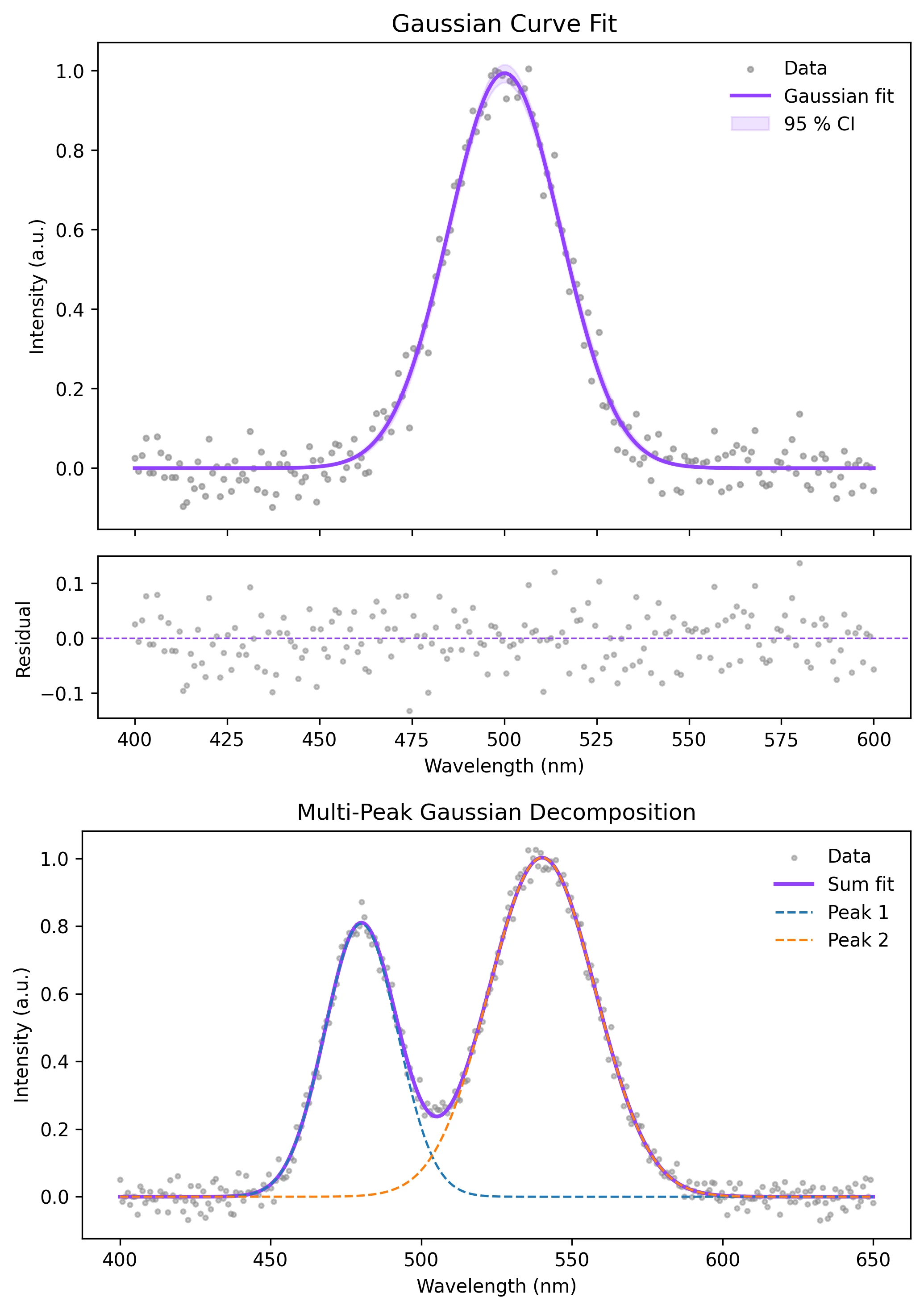
Review the example first, then use the live editor below to run and customize the full workflow.
Mathematical Foundation
Wavelet denoising removes high-frequency noise while preserving sharp events better than many moving-window smoothers.
Equation
clean_signal = inverse_wavelet_transform(threshold(wavelet_transform(signal)))Parameter breakdown
When to use this technique
Use wavelet denoising when the signal contains localized spikes, edges, or transient features. Use Savitzky-Golay smoothing for smoother peak-preserving spectroscopy workflows.
Apply This Technique Now
Run this analysis workflow with AI in seconds. Use the prepared technique prompt or bring your own dataset.
View example prompt
"Apply wavelet denoising to my noisy signal, compare the raw and cleaned traces, and show the selected wavelet and threshold settings on the figure"
How to apply this technique in 30 seconds
Generate
Run the example prompt and let AI generate this technique automatically.
Refine and Export
Adjust code or prompt, then export publication-ready figures.
Implementation Code
The core data processing logic. Copy this block and replace the sample data with your measurements.
import numpy as np
import pywt

def wavelet_denoise(signal, wavelet="db4", level=3):
    coeffs = pywt.wavedec(signal, wavelet, mode="symmetric", level=level)
    sigma = np.median(np.abs(coeffs[-1])) / 0.6745
    threshold = sigma * np.sqrt(2 * np.log(len(signal)))
    cleaned_coeffs = [coeffs[0]]
    cleaned_coeffs.extend(pywt.threshold(c, threshold, mode="soft") for c in coeffs[1:])
    return pywt.waverec(cleaned_coeffs, wavelet, mode="symmetric")[: len(signal)]

np.random.seed(11)
x = np.linspace(0, 1, 600)
signal = np.sin(2 * np.pi * 8 * x) + 0.8 * np.exp(-((x - 0.52) / 0.015) ** 2)
noisy = signal + np.random.normal(0, 0.35, size=x.size)
cleaned = wavelet_denoise(noisy)

rmse_noisy = np.sqrt(np.mean((noisy - signal) ** 2))
rmse_clean = np.sqrt(np.mean((cleaned - signal) ** 2))
print(f"RMSE noisy  : {rmse_noisy:.3f}")
print(f"RMSE cleaned: {rmse_clean:.3f}")Visualization Code
Complete matplotlib code for a publication-ready figure. Copy, paste into your notebook, and adjust labels to match your data.
import numpy as np
import matplotlib.pyplot as plt
import pywt

def wavelet_denoise(signal, wavelet="db4", level=3):
    coeffs = pywt.wavedec(signal, wavelet, mode="symmetric", level=level)
    sigma = np.median(np.abs(coeffs[-1])) / 0.6745
    threshold = sigma * np.sqrt(2 * np.log(len(signal)))
    denoised = [coeffs[0]] + [pywt.threshold(c, threshold, mode="soft") for c in coeffs[1:]]
    return pywt.waverec(denoised, wavelet, mode="symmetric")[: len(signal)], threshold

np.random.seed(11)
x = np.linspace(0, 1, 600)
truth = np.sin(2 * np.pi * 8 * x) + 0.8 * np.exp(-((x - 0.52) / 0.015) ** 2)
noisy = truth + np.random.normal(0, 0.35, size=x.size)
cleaned, threshold = wavelet_denoise(noisy, "db4", 3)

fig, ax = plt.subplots(figsize=(8, 4.5))
ax.plot(x, noisy, color="#999999", lw=0.8, alpha=0.65, label="Noisy signal")
ax.plot(x, cleaned, color="#9240ff", lw=2, label="Wavelet denoised")
ax.plot(x, truth, color="#111111", lw=1.2, ls="--", label="Reference")
ax.set_xlabel("Time (s)")
ax.set_ylabel("Signal")
ax.set_title(f"Wavelet Denoising with db4, threshold = {threshold:.2f}")
ax.legend(frameon=False)
ax.spines[["top", "right"]].set_visible(False)
plt.tight_layout()
plt.savefig("wavelet_denoising.png", dpi=300, bbox_inches="tight")
plt.show()Compare Wavelet Families
Different wavelets preserve different shapes. Compare a few candidates visually and with a quantitative metric before standardizing your pipeline.
for wavelet in ["db2", "db4", "sym4", "coif3"]:
    cleaned, _ = wavelet_denoise(noisy, wavelet=wavelet, level=3)
    roughness = np.mean(np.abs(np.diff(cleaned, n=2)))
print(f"{wavelet}: roughness {roughness:.4f}")Common Errors and How to Fix Them
Denoised signal looks too flat
Why: The threshold or decomposition level is too aggressive.
Fix: Reduce the level, use a softer threshold, or choose a shorter wavelet.
Edge artifacts appear at the start and end
Why: Wavelet reconstruction depends on boundary extension mode.
Fix: Try symmetric mode, pad the signal, or crop edge regions before interpretation.
PyWavelets import fails
Why: The package is installed as PyWavelets but imported as pywt.
Fix: Install PyWavelets in your environment and use import pywt in Python code.
Frequently Asked Questions
Apply Wavelet Denoising in Python to Your Data
Upload your dataset and Plotivy generates the Python code, runs the analysis, and produces a publication-ready figure.
Generate Code for This TechniquePython Libraries
Quick Info
- Domain
- Signal Processing
- Typical Audience
- Researchers processing noisy electrophysiology, spectroscopy, vibration, or sensor data where sharp transients matter