Calibration Plot
Chart overview
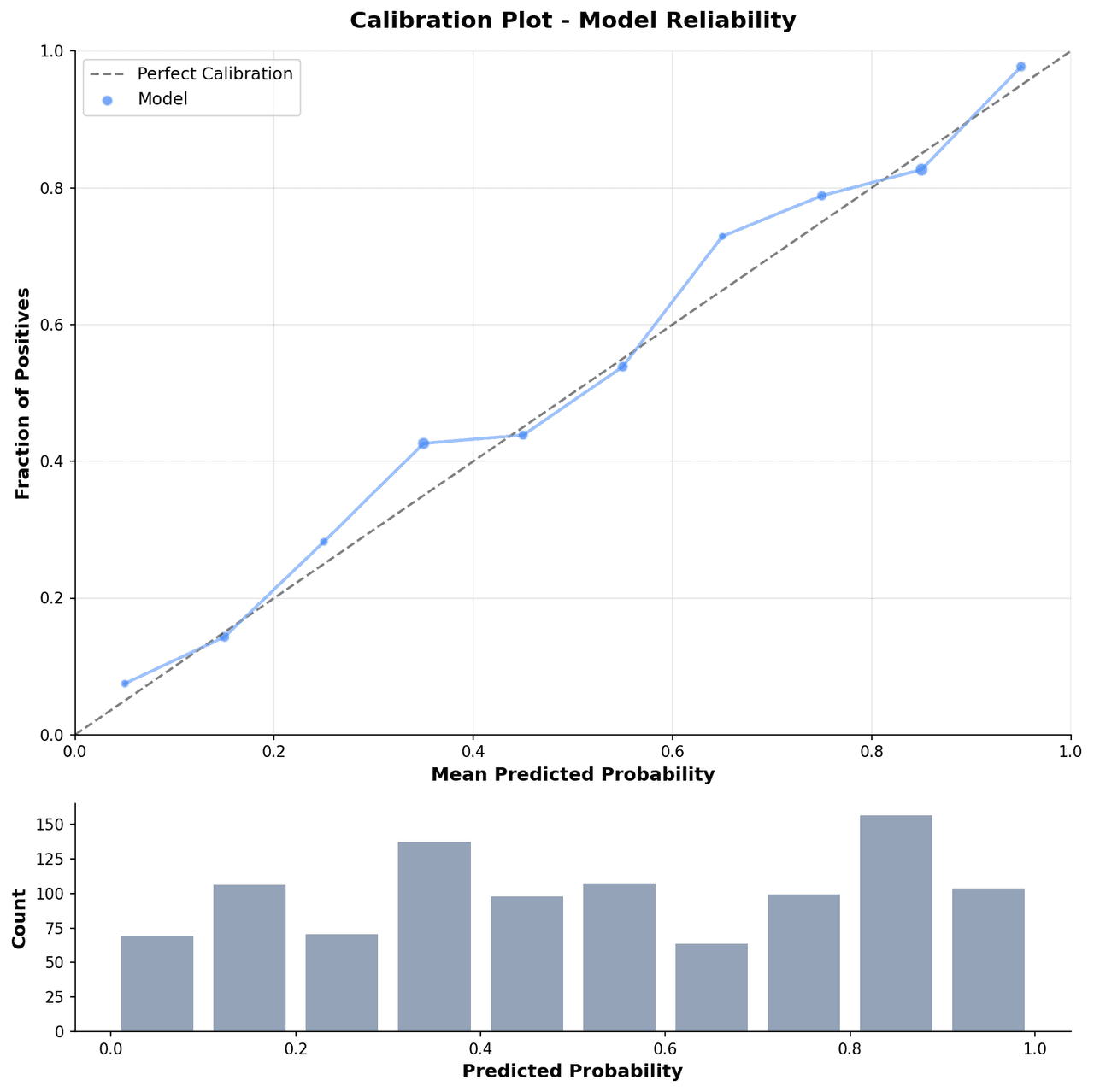
Calibration plots compare a model predicted probability of an event against the actual observed proportion in binned groups of patients, revealing whether a model is overconfident, underconfident, or well-calibrated.
Key points
- Clinical epidemiologists and biostatisticians use calibration plots alongside Hosmer-Lemeshow tests and calibration slope metrics when reporting clinical prediction models following TRIPOD guidelines.
- The diagonal ideal calibration line serves as the reference against which model performance is evaluated.
Create a Calibration Plot with your data using AI — no coding required.
Further reading
Python Scatter Plot Tutorial
Build scatter plots with regression overlays, color encodings, and uncertainty bars.
Read the guideExample Visualization
Create This Chart Now
Generate publication-ready calibration plots with AI in seconds. No coding required – just describe your data and let AI do the work.
View example prompt
"Create a calibration plot from my data. Plot mean predicted probability on the x-axis and observed event rate on the y-axis with error bars for each bin. Draw the perfect calibration diagonal as a dashed line. Overlay a LOESS regression calibration curve. Include a histogram of predicted probabilities along the bottom x-axis. Use journal formatting with Arial font and no top or right spines."
How to create this chart with your data
Upload Data
Upload your Excel or CSV file. Data used to generate charts is sent to Plotivy's server for processing.
AI Generation
Our AI analyzes your data and generates the Calibration Plot code automatically.
Customize & Export
Tweak the design with natural language, then export as high-res PNG, SVG or PDF.
Newsletter
Get one weekly tip for better calibration plots
Join researchers receiving concise Python plotting techniques to improve chart clarity and reduce revision cycles.
Python Code Example
Console Output
Figure saved: plotivy-calibration-plot.png
Common Use Cases
- 1Validating clinical prediction models for mortality, readmission, or disease probability
- 2Reporting model calibration in TRIPOD-compliant prognostic model development studies
- 3Comparing pre- and post-recalibration performance of risk scores applied to new populations
- 4Assessing machine learning classifier reliability in imbalanced clinical datasets
Pro Tips
Use at least 10 equally sized bins of predicted probability to balance resolution and stability
Add Wilson score confidence intervals to observed proportions in each bin to reflect uncertainty
Include the Brier score and calibration slope in a text box inset for a complete model summary
Plot the distribution of predicted probabilities as a rug or histogram to detect extreme predictions
Frequently asked questions
When should you use a calibration plot?
Calibration plots compare a model predicted probability of an event against the actual observed proportion in binned groups of patients, revealing whether a model is overconfident, underconfident, or well-calibrated. Clinical epidemiologists and biostatisticians use calibration plots alongside Hosmer-Lemeshow tests and calibration slope metrics when reporting clinical prediction models following TRIPOD guidelines. Common applications include validating clinical prediction models for mortality, readmission, or disease probability, reporting model calibration in TRIPOD-compliant prognostic model development studies, and comparing pre- and post-recalibration performance of risk scores applied to new populations.
Which Python libraries can create a calibration plot?
A calibration plot can be built in Python with matplotlib, numpy, and scipy — matplotlib for precise control over axes, annotations, and journal styling, numpy, and scipy. In Plotivy you describe the figure and it writes the matplotlib code for you.
Can I make a calibration plot without writing Python code?
Yes. Describe the calibration plot you need in plain language and upload your dataset — Plotivy's AI writes the Python code and renders a publication-ready figure. You still get the full, editable matplotlib source, so nothing is locked in a black box.
What are best practices for a clear calibration plot?
Use at least 10 equally sized bins of predicted probability to balance resolution and stability. Add Wilson score confidence intervals to observed proportions in each bin to reflect uncertainty.
Library comparison for this chart
matplotlib
Best when you need full control over axis formatting, annotation placement, and journal-specific styling for calibration-plot.
numpy
Useful in specialized workflows that complement core Python plotting libraries for calibration-plot analysis tasks.
scipy
Useful in specialized workflows that complement core Python plotting libraries for calibration-plot analysis tasks.
Scientific Chart Selection Cheat Sheet
Not sure whether to use a Violin Plot, Box Plot, or Ridge Plot? Download our single-page reference mapping the most-used scientific chart types, exactly when to use them, and the core Matplotlib/Seaborn functions.