Hexagonal Binning
Chart overview
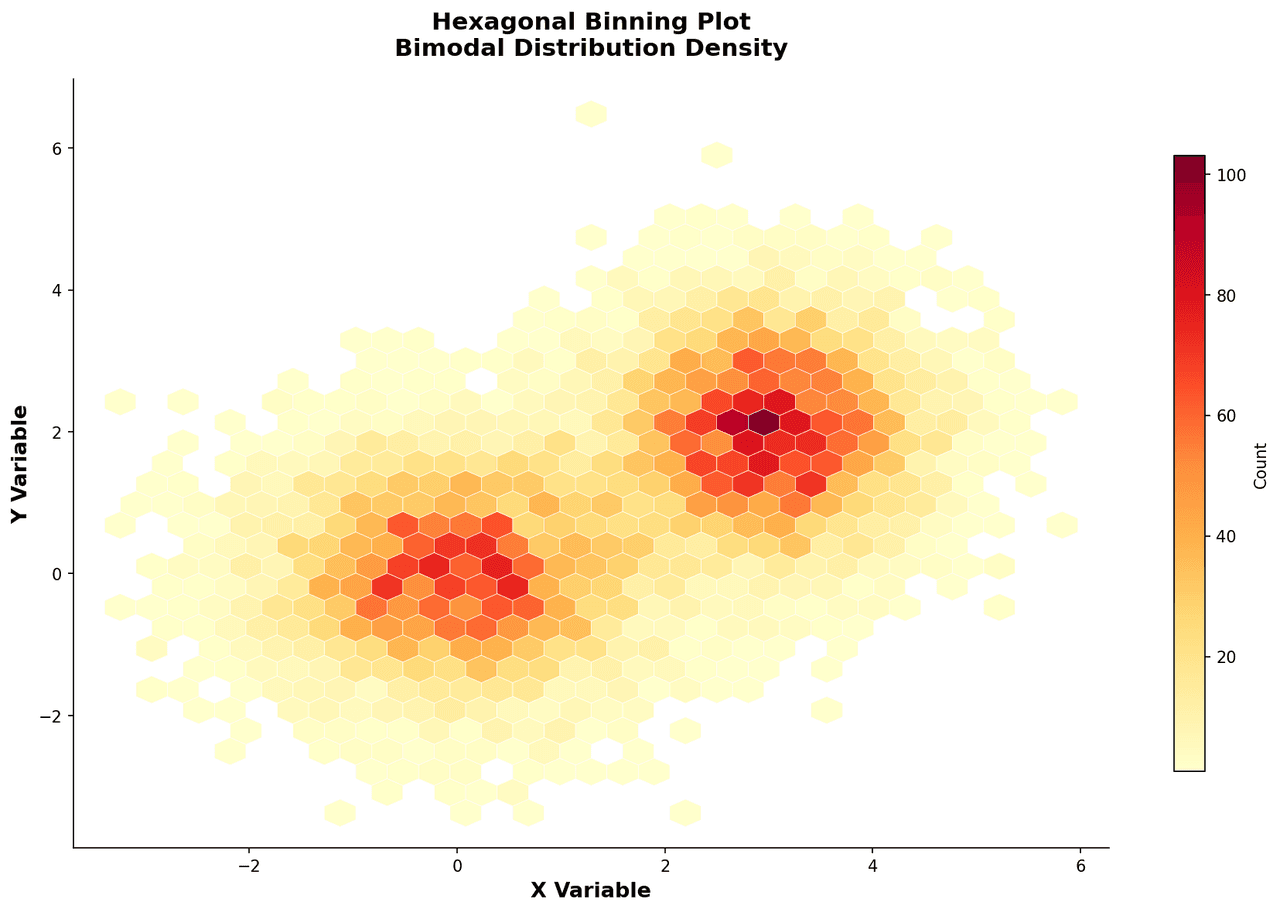
Hexagonal binning divides the 2D plane into a regular hexagonal grid and colours each cell by the number of data points it contains, creating a smooth density map that remains readable at very large sample sizes.
Key points
- Scientists in genomics, astrophysics, and imaging use it when standard scatter plots produce an uninformative black mass due to overplotting.
- The hexagonal geometry minimises binning artefacts compared to square grids and allows accurate perception of density gradients.
Create a Hexagonal Binning with your data using AI — no coding required.
Further reading
Complete Guide to Scientific Data Visualization
Chart selection, figure design, and publication-ready workflows for scientific teams.
Read the guideExample Visualization
Create This Chart Now
Generate publication-ready hexagonal binnings with AI in seconds. No coding required – just describe your data and let AI do the work.
View example prompt
"Create a hexagonal binning plot from my data. Choose an appropriate grid size, colour hexagons by point count using a sequential colormap, add a colorbar labelled with count or density, overlay marginal histograms if space permits, and format as a publication-quality figure."
How to create this chart with your data
Upload Data
Upload your Excel or CSV file. Data used to generate charts is sent to Plotivy's server for processing.
AI Generation
Our AI analyzes your data and generates the Hexagonal Binning code automatically.
Customize & Export
Tweak the design with natural language, then export as high-res PNG, SVG or PDF.
Newsletter
Get one weekly tip for better hexagonal binnings
Join researchers receiving concise Python plotting techniques to improve chart clarity and reduce revision cycles.
Python Code Example
Console Output
Figure saved: plotivy-hexagonal-binning.png
Common Use Cases
- 1Visualising allele frequency distributions from genome-wide association studies with millions of SNPs
- 2Showing photometric magnitude versus colour index for stellar populations in large sky surveys
- 3Displaying the relationship between two biomarkers measured across thousands of patients
- 4Representing pixel intensity co-occurrence in multi-channel fluorescence microscopy data
Pro Tips
Adjust hexbin gridsize parameter to balance detail and smoothness for your sample size
Use a logarithmic colour scale when count values span several orders of magnitude
Overlay a contour line at key density percentiles to highlight the core data region
Remove empty hexagons by setting a minimum count threshold to reduce visual clutter
Frequently asked questions
When should you use a hexagonal binning?
Hexagonal binning divides the 2D plane into a regular hexagonal grid and colours each cell by the number of data points it contains, creating a smooth density map that remains readable at very large sample sizes. Scientists in genomics, astrophysics, and imaging use it when standard scatter plots produce an uninformative black mass due to overplotting. Common applications include visualising allele frequency distributions from genome-wide association studies with millions of SNPs, showing photometric magnitude versus colour index for stellar populations in large sky surveys, and displaying the relationship between two biomarkers measured across thousands of patients.
Which Python libraries can create a hexagonal binning?
A hexagonal binning can be built in Python with matplotlib and numpy — matplotlib for precise control over axes, annotations, and journal styling and numpy. In Plotivy you describe the figure and it writes the matplotlib code for you.
Can I make a hexagonal binning without writing Python code?
Yes. Describe the hexagonal binning you need in plain language and upload your dataset — Plotivy's AI writes the Python code and renders a publication-ready figure. You still get the full, editable matplotlib source, so nothing is locked in a black box.
What are best practices for a clear hexagonal binning?
Adjust hexbin gridsize parameter to balance detail and smoothness for your sample size. Use a logarithmic colour scale when count values span several orders of magnitude.
Library comparison for this chart
matplotlib
Best when you need full control over axis formatting, annotation placement, and journal-specific styling for hexagonal-binning.
numpy
Useful in specialized workflows that complement core Python plotting libraries for hexagonal-binning analysis tasks.
Scientific Chart Selection Cheat Sheet
Not sure whether to use a Violin Plot, Box Plot, or Ridge Plot? Download our single-page reference mapping the most-used scientific chart types, exactly when to use them, and the core Matplotlib/Seaborn functions.