Lollipop Chart
Chart overview
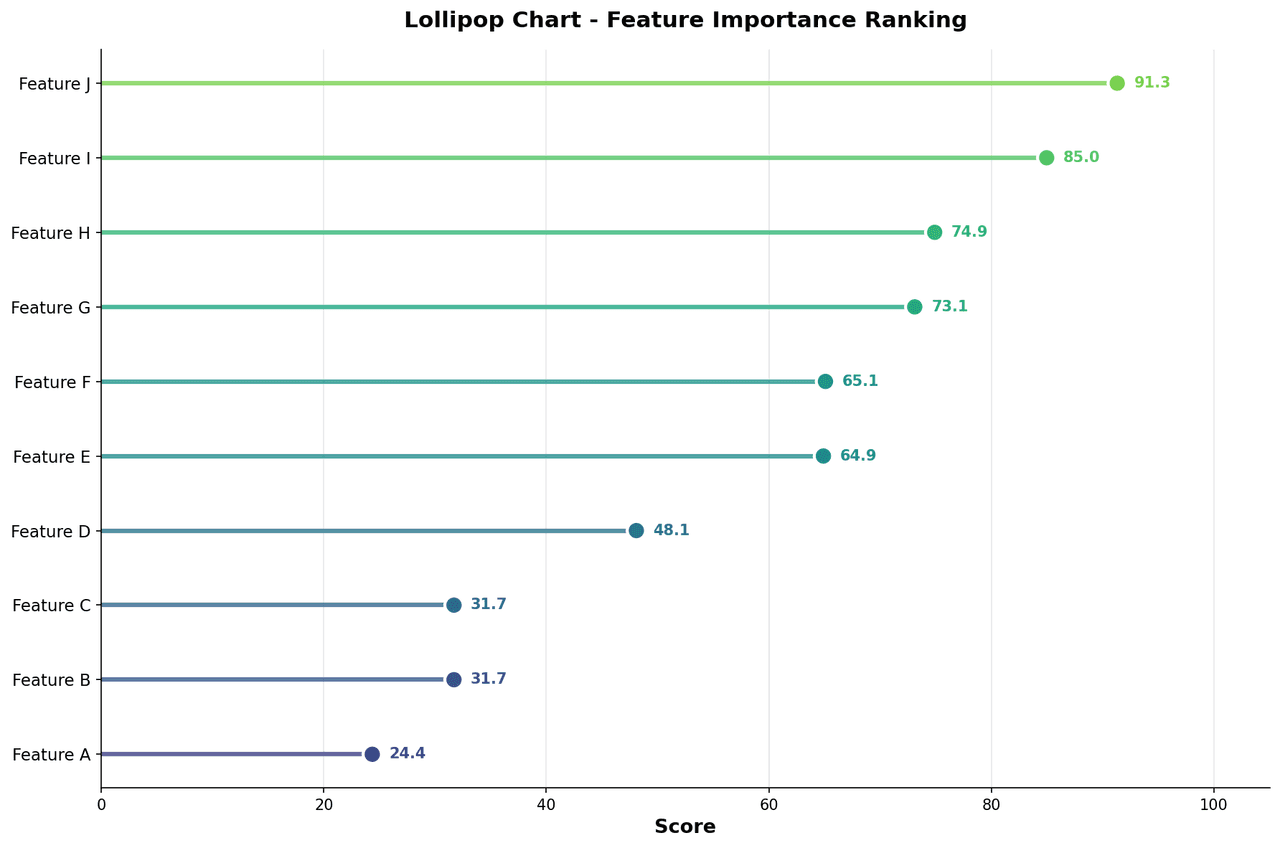
A lollipop chart replaces the filled bars of a traditional bar chart with a thin line (stem) topped by a dot, significantly reducing ink and visual weight while preserving the same quantitative information.
Key points
- This makes it particularly effective for presenting ranked lists of features - such as gene expression fold-changes, pathway enrichment scores, or feature importances - where dozens of categories must be displayed side by side without the bar chart appearing as a dense wall of color.
- In genomics and bioinformatics, lollipop charts are used to display ranked differentially expressed genes, top GO terms from enrichment analysis, or mutation frequencies across a cohort.
- The chart is naturally sorted so the most important features appear first, guiding the reader's eye.
Practical guidance
Color can encode direction (upregulated/downregulated) or category membership, and dot size can encode an additional dimension such as adjusted p-value.
Create a Lollipop Chart with your data using AI — no coding required.
Further reading
How to Create a Bar Chart in Python
Matplotlib, seaborn, and plotly patterns for grouped bars, error bars, and publication-ready labels.
Read the guideExample Visualization
Create This Chart Now
Generate publication-ready lollipop charts with AI in seconds. No coding required – just describe your data and let AI do the work.
View example prompt
"Create a horizontal lollipop chart showing the top 20 differentially expressed genes from my data ranked by log2 fold-change. Color stems and dots red for upregulated and blue for downregulated genes. Scale dot size by -log10 adjusted p-value. Add a vertical reference line at zero. Sort from most to least extreme fold-change. Label each gene on the left y-axis. Format for publication at 300 DPI."
How to create this chart with your data
Upload Data
Upload your Excel or CSV file. Data used to generate charts is sent to Plotivy's server for processing.
AI Generation
Our AI analyzes your data and generates the Lollipop Chart code automatically.
Customize & Export
Tweak the design with natural language, then export as high-res PNG, SVG or PDF.
Newsletter
Get one weekly tip for better lollipop charts
Join researchers receiving concise Python plotting techniques to improve chart clarity and reduce revision cycles.
Python Code Example
Console Output
Figure saved: plotivy-lollipop-chart.png
Common Use Cases
- 1Displaying top-N differentially expressed genes ranked by fold-change from RNA-seq analysis
- 2Visualizing pathway enrichment scores from GSEA or ORA sorted by normalized enrichment score
- 3Ranked feature importance from machine learning models trained on genomic data
- 4Mutation frequency across cancer-associated genes in a tumor cohort ordered by prevalence
Pro Tips
Sort the axis by value rather than alphabetically so the chart communicates ranking at a glance
Use a consistent maximum dot size and clearly label the dot-size legend with p-value thresholds
Add a vertical line at zero (or log2FC = 1/-1) to visually anchor meaningful thresholds
For very long gene lists, split into two columns or restrict to a cutoff that fits the figure panel
Frequently asked questions
When should you use a lollipop chart?
A lollipop chart replaces the filled bars of a traditional bar chart with a thin line (stem) topped by a dot, significantly reducing ink and visual weight while preserving the same quantitative information. This makes it particularly effective for presenting ranked lists of features - such as gene expression fold-changes, pathway enrichment scores, or feature importances - where dozens of categories must be displayed side by side without the bar chart appearing as a dense wall of color. Common applications include displaying top-N differentially expressed genes ranked by fold-change from RNA-seq analysis, visualizing pathway enrichment scores from GSEA or ORA sorted by normalized enrichment score, and ranked feature importance from machine learning models trained on genomic data.
Which Python libraries can create a lollipop chart?
A lollipop chart can be built in Python with matplotlib, pandas, and numpy — matplotlib for precise control over axes, annotations, and journal styling, pandas for quick plots straight from a DataFrame, and numpy. In Plotivy you describe the figure and it writes the matplotlib code for you.
Can I make a lollipop chart without writing Python code?
Yes. Describe the lollipop chart you need in plain language and upload your dataset — Plotivy's AI writes the Python code and renders a publication-ready figure. You still get the full, editable matplotlib source, so nothing is locked in a black box.
What are best practices for a clear lollipop chart?
Sort the axis by value rather than alphabetically so the chart communicates ranking at a glance. Use a consistent maximum dot size and clearly label the dot-size legend with p-value thresholds.
Library comparison for this chart
matplotlib
Best when you need full control over axis formatting, annotation placement, and journal-specific styling for lollipop-chart.
pandas
Good for quick exploratory drafts directly from DataFrame operations before polishing in matplotlib or plotly.
numpy
Useful in specialized workflows that complement core Python plotting libraries for lollipop-chart analysis tasks.
Scientific Chart Selection Cheat Sheet
Not sure whether to use a Violin Plot, Box Plot, or Ridge Plot? Download our single-page reference mapping the most-used scientific chart types, exactly when to use them, and the core Matplotlib/Seaborn functions.