Alluvial Diagram
Chart overview
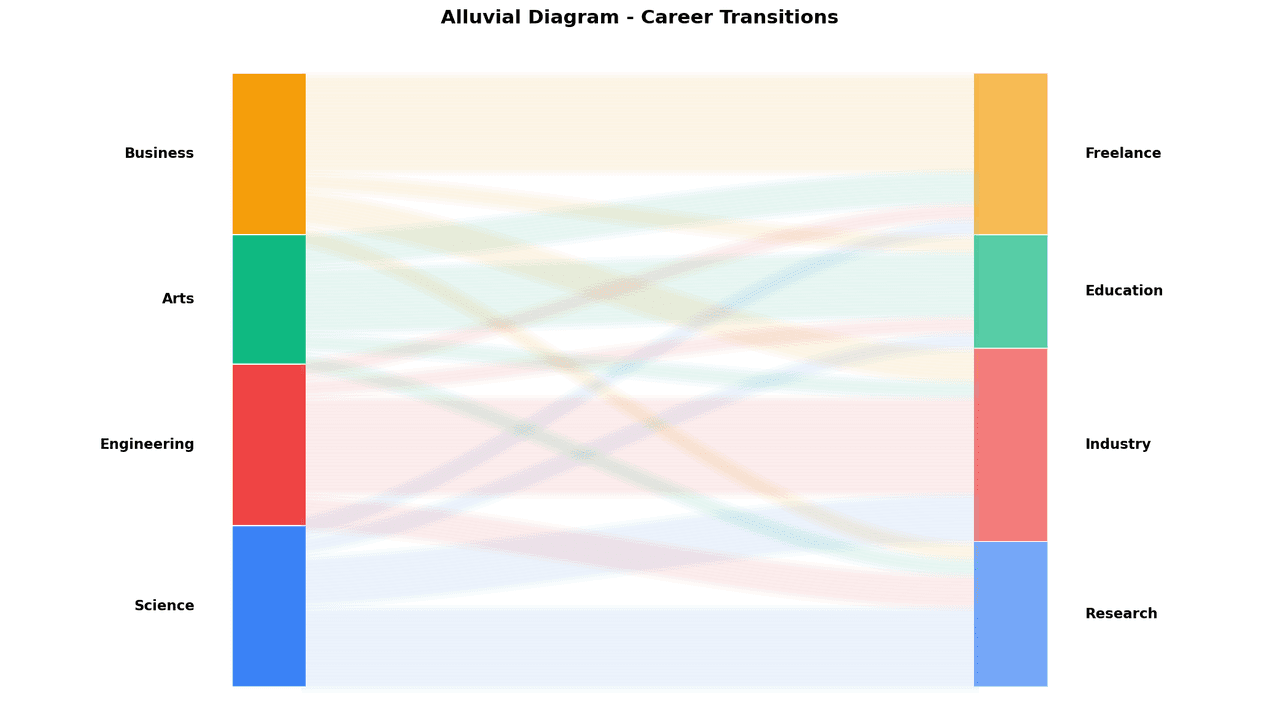
An alluvial diagram visualizes the flow and redistribution of observations between categorical states across multiple time points or stages.
Key points
- Unlike a Sankey diagram that emphasizes quantities of flow, an alluvial diagram focuses on grouping and tracking how entities transition between categories: patients progressing through clinical stages, cell populations changing phenotype over a time course, or species composition shifting across ecological sites.
- Each vertical column represents a categorical variable at one stage, and the alluvia (ribbons) connecting columns are proportional in width to the number of observations flowing between states.
- The color of each ribbon typically encodes the source or destination category.
Practical guidance
In biology, alluvial diagrams are used to track tumor mutation burden categories over treatment cycles, visualize T-cell subset redistribution before and after immunotherapy, or show how gut microbiome community states evolve over a dietary intervention.
Create a Alluvial Diagram with your data using AI — no coding required.
Further reading
Complete Guide to Scientific Data Visualization
Chart selection, figure design, and publication-ready workflows for scientific teams.
Read the guideExample Visualization
Create This Chart Now
Generate publication-ready alluvial diagrams with AI in seconds. No coding required – just describe your data and let AI do the work.
View example prompt
"Create an alluvial diagram from my longitudinal clinical data showing patient transitions between response categories (CR, PR, SD, PD) at baseline, 3 months, and 6 months. Width of ribbons proportional to patient counts. Color ribbons by baseline category. Label each category block with the count and percentage. Use a white background and distinct categorical colors. Format for a clinical journal at 300 DPI."
How to create this chart with your data
Upload Data
Upload your Excel or CSV file. Data used to generate charts is sent to Plotivy's server for processing.
AI Generation
Our AI analyzes your data and generates the Alluvial Diagram code automatically.
Customize & Export
Tweak the design with natural language, then export as high-res PNG, SVG or PDF.
Newsletter
Get one weekly tip for better alluvial diagrams
Join researchers receiving concise Python plotting techniques to improve chart clarity and reduce revision cycles.
Python Code Example
Console Output
Figure saved: plotivy-alluvial-diagram.png
Common Use Cases
- 1Tracking patient clinical response category transitions over serial treatment assessments
- 2Single-cell RNA-seq trajectory: showing cell state redistribution between timepoints after stimulation
- 3Gut microbiome study: visualizing community state transitions across dietary intervention phases
- 4Epidemiology: displaying population movement between disease severity grades over a surveillance period
Pro Tips
Sort categories consistently at each column to minimize ribbon crossings and improve readability
Use color to encode one meaningful variable - source category or a biologically relevant grouping
Keep the number of stages (columns) to three or four maximum before the diagram becomes uninterpretable
Label the width of each block with the absolute count so proportions are quantitatively grounded
Frequently asked questions
When should you use an alluvial diagram?
An alluvial diagram visualizes the flow and redistribution of observations between categorical states across multiple time points or stages. Unlike a Sankey diagram that emphasizes quantities of flow, an alluvial diagram focuses on grouping and tracking how entities transition between categories: patients progressing through clinical stages, cell populations changing phenotype over a time course, or species composition shifting across ecological sites. Common applications include tracking patient clinical response category transitions over serial treatment assessments, single-cell RNA-seq trajectory: showing cell state redistribution between timepoints after stimulation, and gut microbiome study: visualizing community state transitions across dietary intervention phases.
Which Python libraries can create an alluvial diagram?
An alluvial diagram can be built in Python with matplotlib, pandas, and numpy — matplotlib for precise control over axes, annotations, and journal styling, pandas for quick plots straight from a DataFrame, and numpy. In Plotivy you describe the figure and it writes the matplotlib code for you.
Can I make an alluvial diagram without writing Python code?
Yes. Describe the alluvial diagram you need in plain language and upload your dataset — Plotivy's AI writes the Python code and renders a publication-ready figure. You still get the full, editable matplotlib source, so nothing is locked in a black box.
What are best practices for a clear alluvial diagram?
Sort categories consistently at each column to minimize ribbon crossings and improve readability. Use color to encode one meaningful variable - source category or a biologically relevant grouping.
Library comparison for this chart
matplotlib
Best when you need full control over axis formatting, annotation placement, and journal-specific styling for alluvial-diagram.
pandas
Good for quick exploratory drafts directly from DataFrame operations before polishing in matplotlib or plotly.
numpy
Useful in specialized workflows that complement core Python plotting libraries for alluvial-diagram analysis tasks.
Scientific Chart Selection Cheat Sheet
Not sure whether to use a Violin Plot, Box Plot, or Ridge Plot? Download our single-page reference mapping the most-used scientific chart types, exactly when to use them, and the core Matplotlib/Seaborn functions.