Connectivity Matrix
Chart overview
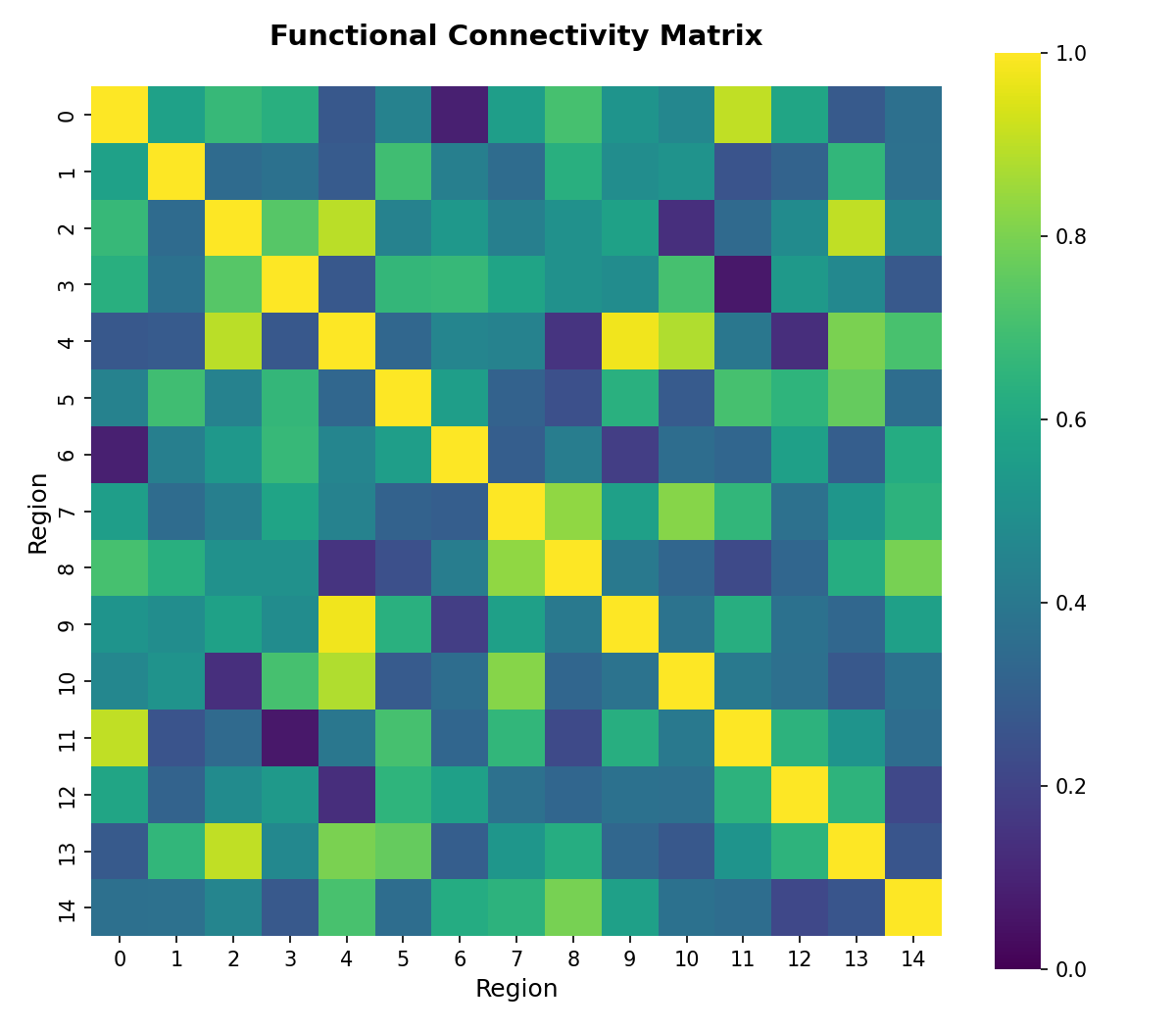
A connectivity matrix displays pairwise values - such as functional correlation, structural tract density, or effective connectivity - between all nodes in a network as a colour-coded square matrix.
Key points
- Neuroimaging researchers use it to characterise whole-brain functional networks from fMRI or structural networks from diffusion MRI tractography.
- The matrix reveals modular community structure, hubs, and inter-network coupling that underlie cognition.
Create a Connectivity Matrix with your data using AI — no coding required.
Further reading
How to Create a Heatmap in Python
Annotated matrices, correlation heatmaps, clustering, and colorbar best practices.
Read the guideExample Visualization
Create This Chart Now
Generate publication-ready connectivity matrixs with AI in seconds. No coding required – just describe your data and let AI do the work.
View example prompt
"Create a brain connectivity matrix from my data. Display pairwise values as a symmetric square heatmap, cluster regions by network, annotate significance with asterisks, use a diverging colormap centred at zero, and format for a journal-quality neuroimaging figure."
How to create this chart with your data
Upload Data
Upload your Excel or CSV file. Data used to generate charts is sent to Plotivy's server for processing.
AI Generation
Our AI analyzes your data and generates the Connectivity Matrix code automatically.
Customize & Export
Tweak the design with natural language, then export as high-res PNG, SVG or PDF.
Newsletter
Get one weekly tip for better connectivity matrixs
Join researchers receiving concise Python plotting techniques to improve chart clarity and reduce revision cycles.
Python Code Example
import numpy as np
import matplotlib.pyplot as plt
import seaborn as sns

np.random.seed(42)
matrix = np.random.rand(15, 15)
matrix = (matrix + matrix.T) / 2
np.fill_diagonal(matrix, 1)

plt.figure(figsize=(8, 7))
sns.heatmap(matrix, cmap='viridis', vmin=0, vmax=1, square=True)
plt.title('Functional Connectivity Matrix', fontsize=14, fontweight='bold', pad=20)
plt.xlabel('Region', fontsize=12)
plt.ylabel('Region', fontsize=12)
plt.tight_layout()
plt.savefig('plotivy-connectivity-matrix.png', dpi=150)
print("Connectivity matrix generated successfully.")
Opens the Analyze page with this code pre-loaded and ready to execute
Console Output
Connectivity matrix generated successfully.
Common Use Cases
- 1Visualising resting-state functional connectivity from fMRI BOLD signals
- 2Displaying structural white-matter connectivity from tractography streamline counts
- 3Comparing connectivity matrices between patient and control groups
- 4Identifying large-scale network modules such as default mode and sensorimotor networks
Pro Tips
Sort connectivity-matrix rows and columns by network affiliation to reveal modular block structure
Use a diverging colormap (e.g. RdBu_r) centred at zero when the matrix contains positive and negative correlations
Mask the diagonal and optionally the lower triangle of a symmetric heatmap to reduce redundancy
Annotate statistically significant connections with an asterisk overlay and retain clear axis labels
Frequently asked questions
When should you use a connectivity matrix?
A connectivity matrix displays pairwise values - such as functional correlation, structural tract density, or effective connectivity - between all nodes in a network as a colour-coded square matrix. Neuroimaging researchers use it to characterise whole-brain functional networks from fMRI or structural networks from diffusion MRI tractography. Common applications include visualising resting-state functional connectivity from fMRI BOLD signals, displaying structural white-matter connectivity from tractography streamline counts, and comparing connectivity matrices between patient and control groups.
Which Python libraries can create a connectivity matrix?
A connectivity matrix can be built in Python with matplotlib, numpy, and seaborn — matplotlib for precise control over axes, annotations, and journal styling, numpy, and seaborn for statistically-aware defaults on tidy data. In Plotivy you describe the figure and it writes the matplotlib code for you.
Can I make a connectivity matrix without writing Python code?
Yes. Describe the connectivity matrix you need in plain language and upload your dataset — Plotivy's AI writes the Python code and renders a publication-ready figure. You still get the full, editable matplotlib source, so nothing is locked in a black box.
What are best practices for a clear connectivity matrix?
Sort connectivity-matrix rows and columns by network affiliation to reveal modular block structure. Use a diverging colormap (e.g. RdBu_r) centred at zero when the matrix contains positive and negative correlations.
Library comparison for this chart
matplotlib
Best when you need full control over axis formatting, annotation placement, and journal-specific styling for connectivity-matrix.
numpy
Useful in specialized workflows that complement core Python plotting libraries for connectivity-matrix analysis tasks.
seaborn
Fastest path to statistically-aware defaults and tidy-data workflows, especially for grouped and distribution-focused connectivity-matrix views.
Scientific Chart Selection Cheat Sheet
Not sure whether to use a Violin Plot, Box Plot, or Ridge Plot? Download our single-page reference mapping the most-used scientific chart types, exactly when to use them, and the core Matplotlib/Seaborn functions.