5 Ways AI is Revolutionizing Scientific Data Analysis (And Why I'm Actually Excited About It)
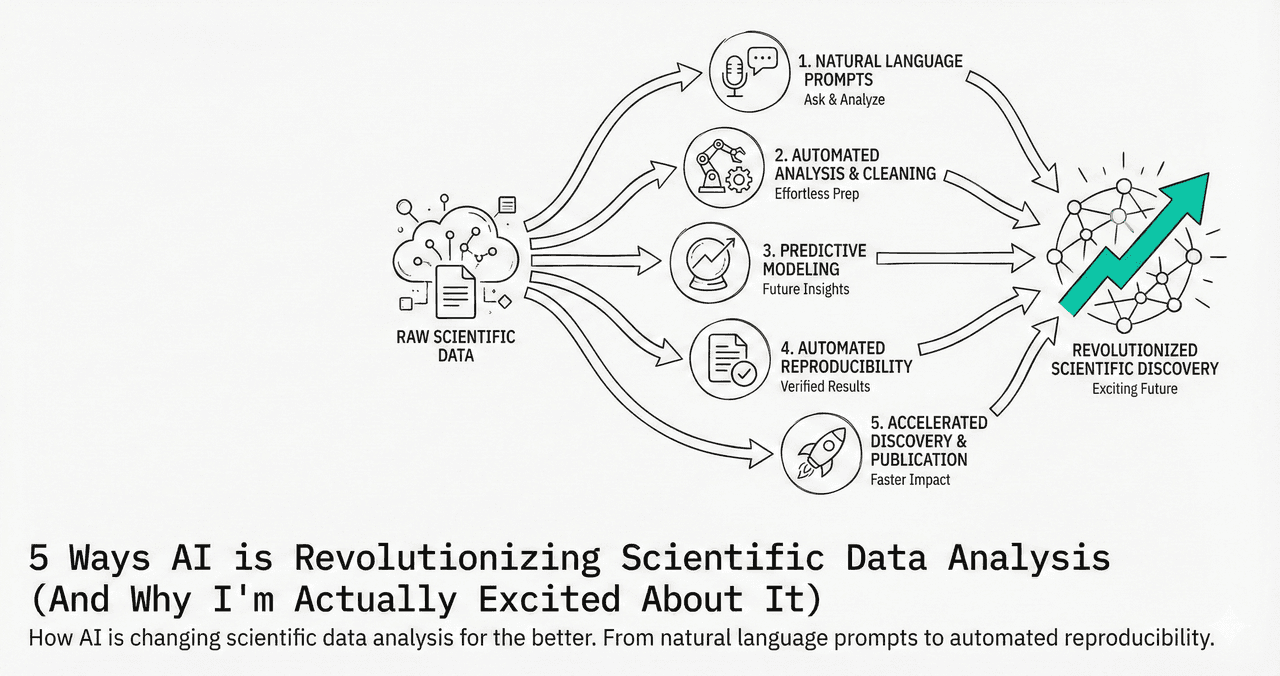
When I first heard "AI for scientific data analysis," I rolled my eyes. It sounded like another buzzword solution looking for a problem. But after watching PhD students spend entire weekends debugging matplotlib code just to make a scatter plot look decent, I realized something important.
AI is not replacing scientists - it is finally letting us focus on the science.
What This Article Covers
0.Live Code Lab: AI-Assisted Plot
1.The Death of Syntax Googling
2.Publication-Ready by Default
3.Smart Data Cleaning
4.Reproducibility Built In
5.Democratizing Data Literacy
0. Live Code Lab: What AI-Assisted Plotting Looks Like
This is the kind of figure produced when you tell an AI tool: "Show me the relationship between temperature and yield with 95% confidence intervals." The code is fully transparent and editable.
1. The Death of "I'll Just Google This Syntax"
Remember the last time you needed to add error bars to a plot? How many Stack Overflow tabs did you open?
I watched a chemistry PhD student spend 3 hours trying to get confidence intervals to display correctly in matplotlib. Three hours. For error bars. That is not science - that is archaeology.
With natural language AI, you just say:
"Show me the relationship between temperature and yield with 95% confidence intervals."
And it works. The first time. Every time.
Key Insight
The magic is not that it is "AI" - it is that it removes the friction between your brain and the computer. You think in science; the tool handles the syntax.
2. Publication-Ready Figures by Default
Most scientific figures look terrible. Not because researchers do not care, but because design is hard. AI tools enforce good design principles automatically:
Try it
Try it now: turn this method into your next figure
Apply the same approach to your own dataset and generate clean, publication-ready code and plots in minutes.
Open in Plotivy Analyze →Newsletter
Get a weekly Python plotting tip
One concise tip each week for cleaner, faster scientific figures. Built for researchers who publish.
Consistent Fonts
No more mixing Arial and Times New Roman. AI applies journal-specific typography automatically.
Colorblind-Safe Palettes
Accessibility is built in. No red-green disasters unless you explicitly ask for them.
Proper Spacing
Legends that do not overlap data points. Axis labels that are readable at print size.
3. Data Cleaning That Actually Makes Sense
80% of data analysis is cleaning data. And it is the most boring, error-prone part of the process. Missing values, inconsistent units, outliers. Traditional tools make you guess. AI can actually look at your data and tell you:
"This looks like a unit conversion error - column A is in Celsius but column B appears to be in Fahrenheit."
"These outliers follow a pattern that might be meaningful - they correlate with the second experimental batch."
See AI Analysis in Action
Upload your dataset and ask any question in plain English. Free to use.
4. Reproducibility Built In
The reproducibility crisis in science is not because researchers are lazy - it is because the tools are too complex. AI-generated code is self-documenting:
explains what you were trying to do
shows how you did it (every line is visible)
is versioned and traceable
5. Democratizing Data Literacy
I taught a data analysis course last semester. Half the students spent more time fighting with Python installation errors than learning statistics. With AI, students can focus on the concepts.
"What happens if we use a different smoothing algorithm?"
This becomes a 30-second experiment instead of a 3-hour coding session.
The Real Revolution
The revolution is not that AI is smarter than humans. It is that AI is finally making computers work the way humans think.
We should not need to learn arcane syntax to make a simple plot. The science is hard enough. The tools should be easy.
Chart gallery
See AI-generated chart examples
Browse the gallery to see the range of plots AI can generate from simple prompts.

Scatterplot
A scatter plot displays two quantitative variables as points, helping you examine relationships, clusters, outliers, and regression trends.
Sample code / prompt
import matplotlib.pyplot as plt
import numpy as np
from scipy import stats
import pandas as pd

# Generate sample data
np.random.seed(42)
n_samples = 200
height = np.random.normal(170, 8, n_samples)
weight = height * 0.6 + np.random.normal(0, 8, n_samples) - 50
Line Graph
Create a line graph in Python to connect ordered data points, reveal time-series trends, and compare how multiple values change across a continuous scale.
Sample code / prompt
import matplotlib.pyplot as plt
import numpy as np

# Generate temperature data for 3 major US cities over 12 months
months = ['Jan', 'Feb', 'Mar', 'Apr', 'May', 'Jun', 'Jul', 'Aug', 'Sep', 'Oct', 'Nov', 'Dec']
nyc = [30, 32, 40, 52, 65, 75, 82, 81, 74, 63, 50, 38]
miami = [65, 66, 70, 76, 82, 87, 90, 90, 87, 80, 72, 66]
chicago = [25, 27, 35, 48, 62, 72, 80, 79, 71, 60, 45, 32]

# Create figure with enhanced styling
Bar Chart
Create a bar chart in Python to compare categorical values with proportional bars, error bars, clear labels, and grouped comparisons.
Sample code / prompt
import numpy as np
import pandas as pd
import matplotlib.pyplot as plt
import seaborn as sns
from scipy import stats

# Generate performance scores for 5 treatment groups
np.random.seed(42)
groups = ['Control', 'Treatment A', 'Treatment B', 'Treatment C', 'Treatment D']
n_samples = 30
Violin Plot
Combines box plots with kernel density to show distribution shape across groups.
Sample code / prompt
import matplotlib.pyplot as plt
import seaborn as sns
import pandas as pd
import numpy as np
from scipy.stats import f_oneway

# Generate exam score data for 3 groups
np.random.seed(42)
control = np.random.normal(72, 12, 50)
treatment_a = np.random.normal(78, 10, 50)
Heatmap
Represents data values as colors in a two-dimensional matrix format.
Sample code / prompt
import matplotlib.pyplot as plt
import seaborn as sns
import pandas as pd
import numpy as np

# Create correlation matrix for financial metrics
metrics = ['Revenue', 'Profit', 'Expenses', 'ROI', 'Customers', 'AOV', 'Marketing', 'Employees']
correlation_data = np.array([
    [1.00, 0.85, -0.45, 0.72, 0.88, 0.65, 0.72, 0.55],
[0.85, 1.00, -0.78, 0.92, 0.75, 0.58, 0.63, 0.48],Try the Future of Scientific Plotting
Upload your data, describe your visualization in plain English, and see what AI can do. Free during beta.
Technique guides scientists read next
scipy.signal.find_peaks guide
Tune prominence and width parameters for robust peak extraction.
Savitzky-Golay smoothing
Reduce noise while preserving peak shape and position.
PCA visualization workflow
Move from high-dimensional measurements to interpretable components.
ANOVA with post-hoc brackets
Add statistically correct pairwise significance annotations.
Found this helpful? Share it with your network.
Experimental Physicist & Photonics Researcher
Hands-on experience in silicon photonics, semiconductor fabrication (DRIE/ICP-RIE), optical simulation, and data-driven analysis. Built Plotivy to help researchers focus on discoveries instead of data struggles.
More about the authorVisualize your own data
Apply the techniques from this article to your own datasets. Upload CSV, Excel, or paste data directly.