Plotivy vs ChatGPT Code Interpreter for Data Visualization
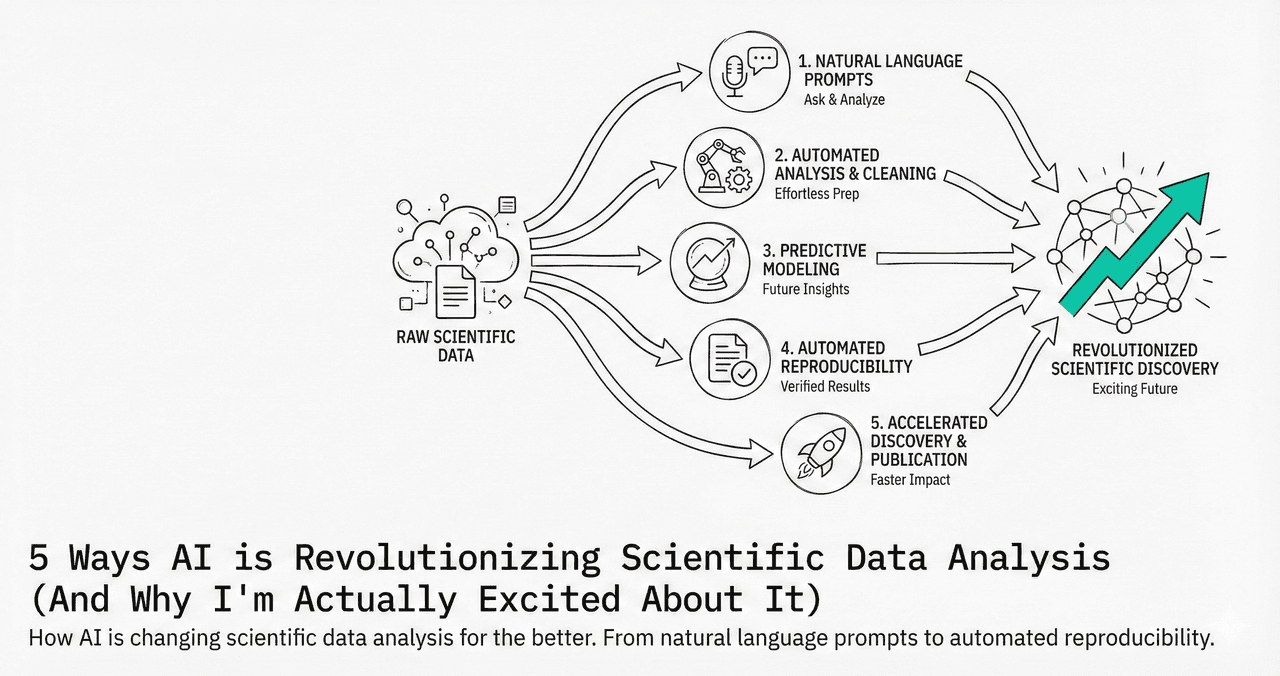
Both tools generate Python plotting code from natural language. But they solve different problems. Here is an honest comparison of when each tool is the better choice for scientific data visualization.
In This Article
0.Live Code: What Plotivy Produces
1.Fundamental Differences
2.Where ChatGPT Wins
3.Where Plotivy Wins
4.When to Use Which
0. Live Code: What Plotivy Produces
Correlation matrix + residual analysis in one figure. Both tools can generate this code, but only Plotivy lets you edit and re-run in the same interface.
1. Fundamental Differences
| Aspect | ChatGPT + Code Interpreter | Plotivy |
|---|---|---|
| Purpose | General-purpose AI assistant | Purpose-built for scientific viz |
| Code Editing | Copy code, edit elsewhere | Edit + run in same interface |
| Data Upload | 20 MB limit, session-based | Direct upload, persistent |
| Export DPI | Depends on code | 300-1200 DPI presets |
| Price | $20/mo (Plus) | Free tier available |
| Data Privacy | Data sent to OpenAI servers | Processing stays local |
| Journal Presets | Must describe in prompt | Built-in templates |
Try it
Try it now: turn this method into your next figure
Apply the same approach to your own dataset and generate clean, publication-ready code and plots in minutes.
Open in Plotivy Analyze →Newsletter
Get a weekly Python plotting tip
One concise tip each week for cleaner, faster scientific figures. Built for researchers who publish.
2. Where ChatGPT Wins
General Analysis
Ask follow-up questions about your data. Explain statistical results in plain English.
Multi-Step Workflows
Clean data, run statistics, generate figures in one conversation.
Code Explanation
Ask 'what does this code do?' and get detailed explanations.
Broader Knowledge
Can help with writing, statistics, domain knowledge beyond just plotting.
3. Where Plotivy Wins
Iterative Editing
Edit code and re-run in the same interface. No copy-pasting between tools.
Scientific Defaults
Journal-ready fonts, DPI, dimensions out of the box. No extra prompting needed.
Data Privacy
Your research data is not sent to third-party AI servers for training.
Free Tier
Generate publication figures without a $20/month AI subscription.
4. When to Use Which
Quick exploratory analysis with questions
Publication figures with iterative editing
Sensitive/proprietary research data
Learning Python plotting from scratch
Batch-generating 20+ figures from CSV files
Complex multi-step data pipelines
Chart gallery
See What Plotivy Can Build
Publication-ready charts you can generate with a single prompt.

Heatmap
Represents data values as colors in a two-dimensional matrix format.
Sample code / prompt
import matplotlib.pyplot as plt
import seaborn as sns
import pandas as pd
import numpy as np

# Create correlation matrix for financial metrics
metrics = ['Revenue', 'Profit', 'Expenses', 'ROI', 'Customers', 'AOV', 'Marketing', 'Employees']
correlation_data = np.array([
    [1.00, 0.85, -0.45, 0.72, 0.88, 0.65, 0.72, 0.55],
    [0.85, 1.00, -0.78, 0.92, 0.75, 0.58, 0.63, 0.48],
Scatterplot
A scatter plot displays two quantitative variables as points, helping you examine relationships, clusters, outliers, and regression trends.
Sample code / prompt
import matplotlib.pyplot as plt
import numpy as np
from scipy import stats
import pandas as pd

# Generate sample data
np.random.seed(42)
n_samples = 200
height = np.random.normal(170, 8, n_samples)
weight = height * 0.6 + np.random.normal(0, 8, n_samples) - 50
Bar Chart
Create a bar chart in Python to compare categorical values with proportional bars, error bars, clear labels, and grouped comparisons.
Sample code / prompt
import numpy as np
import pandas as pd
import matplotlib.pyplot as plt
import seaborn as sns
from scipy import stats

# Generate performance scores for 5 treatment groups
np.random.seed(42)
groups = ['Control', 'Treatment A', 'Treatment B', 'Treatment C', 'Treatment D']
n_samples = 30
Violin Plot
Combines box plots with kernel density to show distribution shape across groups.
Sample code / prompt
import matplotlib.pyplot as plt
import seaborn as sns
import pandas as pd
import numpy as np
from scipy.stats import f_oneway

# Generate exam score data for 3 groups
np.random.seed(42)
control = np.random.normal(72, 12, 50)
treatment_a = np.random.normal(78, 10, 50)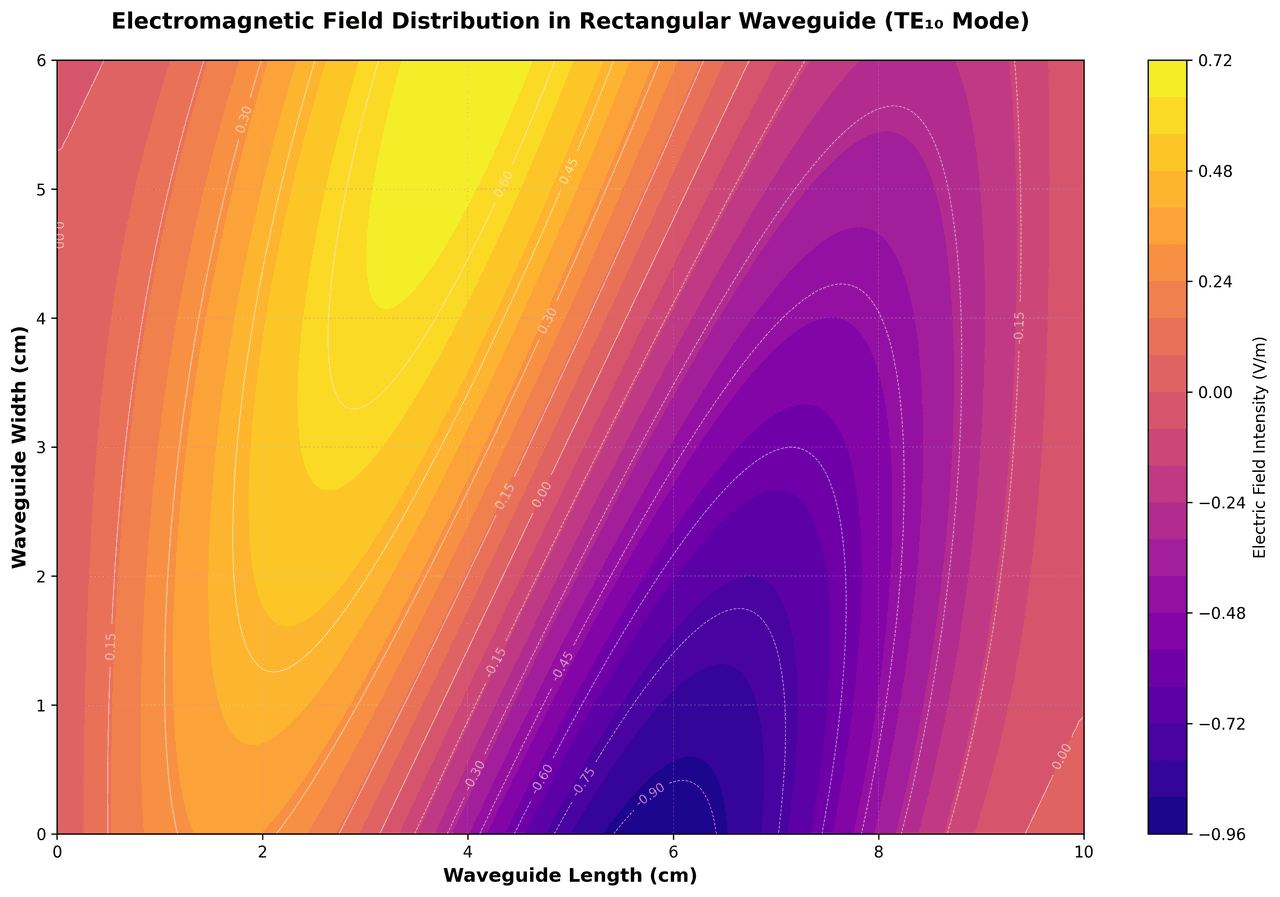
Contour Map
Displays three-dimensional data in two dimensions using contour lines connecting points of equal value.
Sample code / prompt
import matplotlib.pyplot as plt
import numpy as np

# Create electromagnetic field distribution in a rectangular waveguide
x = np.linspace(0, 10, 200)
y = np.linspace(0, 6, 120)
X, Y = np.meshgrid(x, y)

# TE10 mode in rectangular waveguide - dominant mode
# Electric field pattern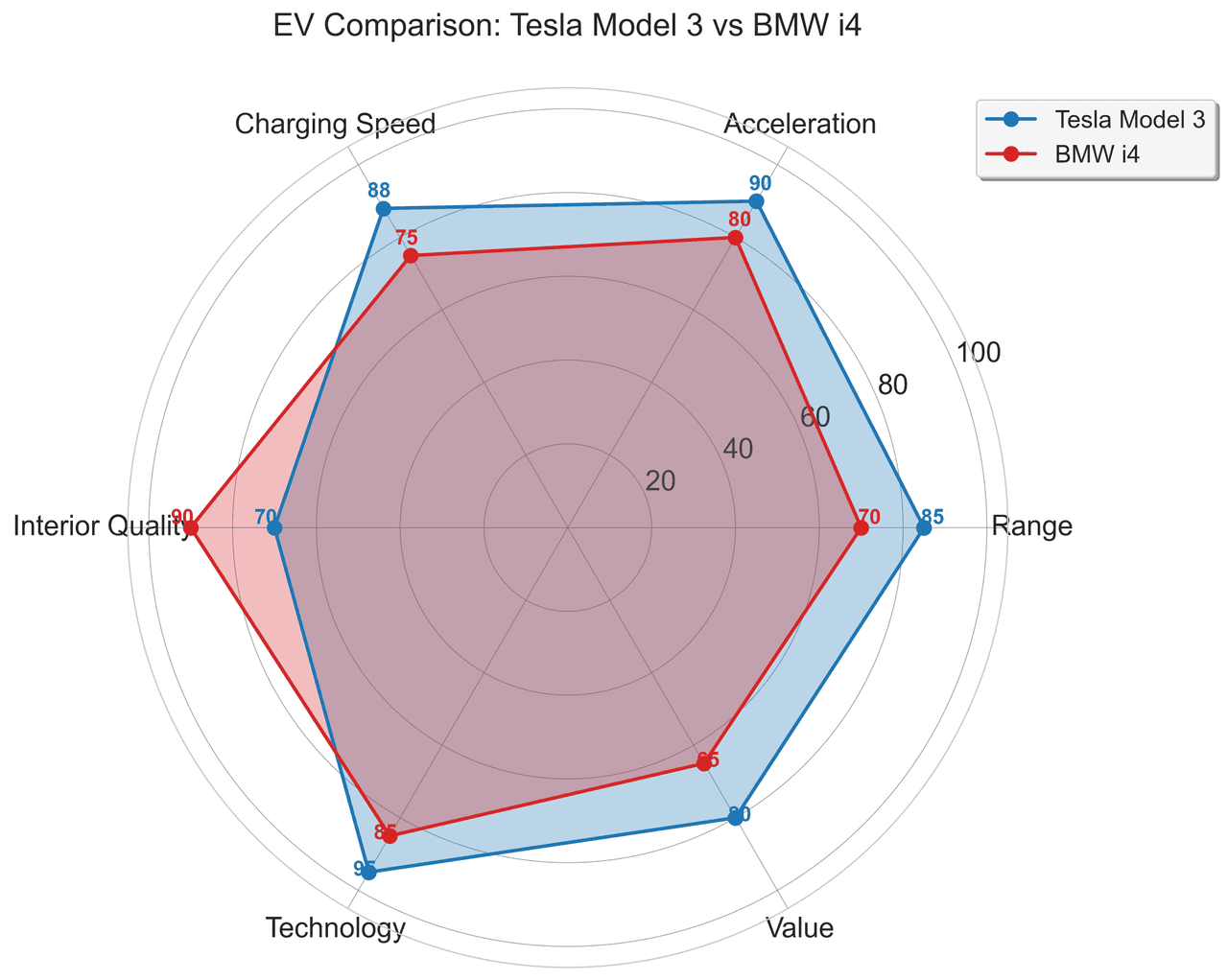
Radar Chart
Create a radar chart in Python to compare multivariate profiles on radial axes, with consistent scales and clear labels for each metric.
Sample code / prompt
import numpy as np
import matplotlib.pyplot as plt
from matplotlib.patches import Circle
import pandas as pd

# EV Model comparison data (0-100 scale)
categories = ['Range', 'Acceleration', 'Charging Speed',
              'Interior Quality', 'Technology', 'Value']
tesla_scores = [85, 90, 88, 70, 95, 80]
bmw_scores = [70, 80, 75, 90, 85, 65]Try the Purpose-Built Alternative
Upload data, describe your figure, edit the code, export at 600 DPI. All in one interface.
Technique guides scientists read next
scipy.signal.find_peaks guide
Tune prominence and width parameters for robust peak extraction.
Savitzky-Golay smoothing
Reduce noise while preserving peak shape and position.
PCA visualization workflow
Move from high-dimensional measurements to interpretable components.
ANOVA with post-hoc brackets
Add statistically correct pairwise significance annotations.
Found this helpful? Share it with your network.
Experimental Physicist & Photonics Researcher
Hands-on experience in silicon photonics, semiconductor fabrication (DRIE/ICP-RIE), optical simulation, and data-driven analysis. Built Plotivy to help researchers focus on discoveries instead of data struggles.
More about the authorVisualize your own data
Apply the techniques from this article to your own datasets. Upload CSV, Excel, or paste data directly.