Best AI Tools for Data Analysis in 2026: The Comprehensive Comparison for Scientists
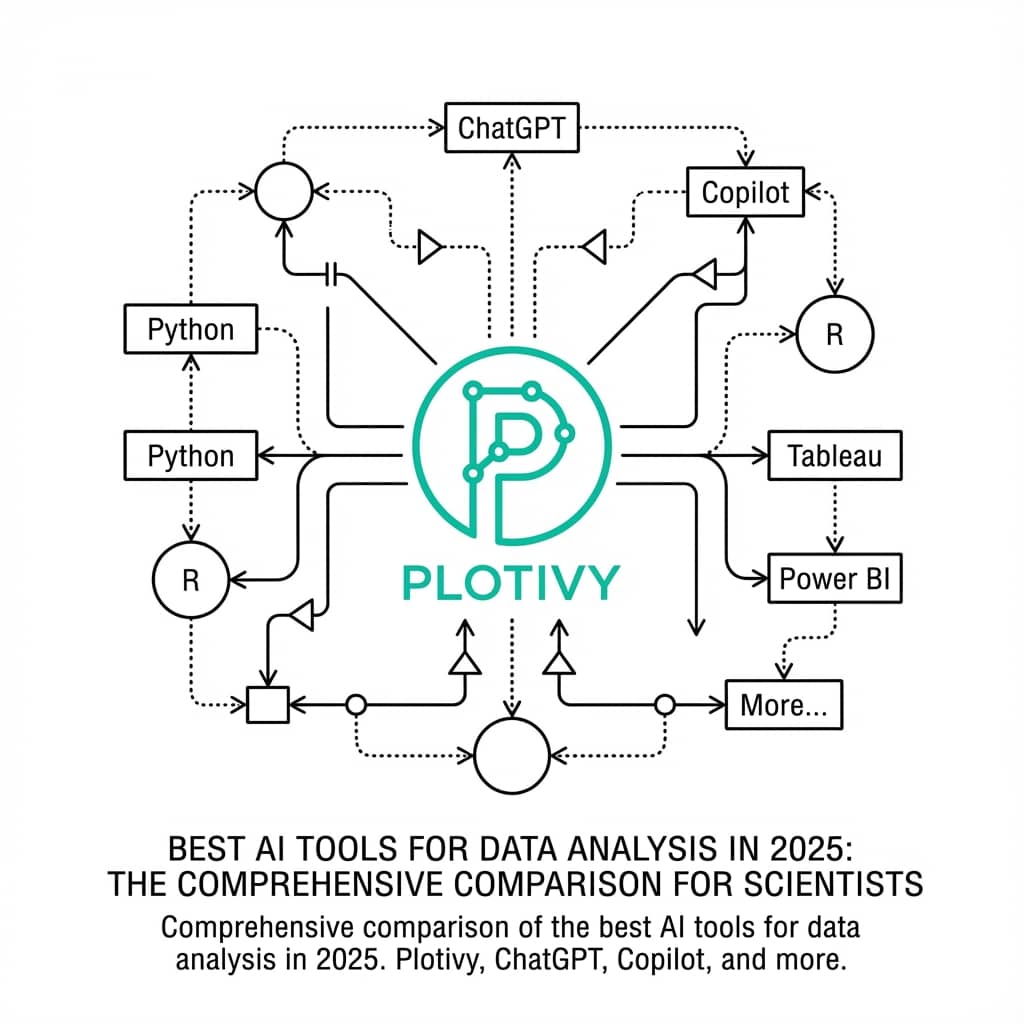
Not all AI data tools are created equal. The market is flooded with "AI Data Analysts" designed for business dashboards - but scientists need something different. We need rigorous, reproducible, and publication-quality results that will survive peer review.
This guide evaluates the top AI tools in 2026 specifically through the lens of scientific research.
What This Article Covers
0.Live Code Lab: Comparison Demo
1.Evaluation Criteria
2.Plotivy (Scientific Focus)
3.Julius AI (EDA Focus)
4.ChatGPT (General Purpose)
5.Summary Comparison Table
0. Live Code Lab: Tool Comparison Chart
A grouped bar chart comparing AI tools across 5 criteria relevant to scientific research. Edit the scores to reflect your own experience.
1. Evaluation Criteria
Scientific Rigor
Does the tool handle error bars, statistical significance, and complex data types correctly?
Reproducibility
Can you export underlying code to verify and share the analysis?
Publication Quality
Does it support vector export (SVG/PDF) and journal-specific styling?
Data Privacy
Is your data secure? Does it stay local or get sent to external servers?
2. Plotivy
Best For: Scientific Publication & Reproducibility
The specialized tool for researchers who need code-backed, publication-ready figures.
Strengths
- Full Python code export for every figure
- Native SVG/PDF vector export
- Understands "95% CI", "p-value", "SEM"
- Journal-specific formatting presets
- Local data processing options
Limitations
- Less suited for business dashboards
- No SQL database connectors (yet)
Try it
Try it now: turn this method into your next figure
Apply the same approach to your own dataset and generate clean, publication-ready code and plots in minutes.
Open in Plotivy Analyze →Newsletter
Get a weekly Python plotting tip
One concise tip each week for cleaner, faster scientific figures. Built for researchers who publish.
3. Julius AI
Best For: Exploratory Data Analysis (EDA)
Excellent for chatting with your data to find trends and insights.
Strengths
- Integrates with Google Sheets, Excel, databases
- Great for "What if?" scenarios
- Very intuitive chat interface
Limitations
- Figures are standard PNGs - not publication-ready
- Less emphasis on code reproducibility
Need Publication-Ready Figures?
Full code export, vector graphics, and journal presets. Free to use.
4. ChatGPT (Advanced Data Analysis)
Best For: Coding Assistance & Quick Scripts
The versatile generalist that can write code for anything, if you guide it.
Strengths
- Handles text, images, and code in one session
- Writes standard Python code
- Extremely versatile
Limitations
- Can confidently use the wrong statistical test
- Context window limits with large datasets
- Privacy: requires strict opt-out settings
5. Summary Comparison Table
| Feature | Plotivy | Julius AI | ChatGPT |
|---|---|---|---|
| Scientific Focus | High | Medium | Low |
| Reproducibility | High | Medium | High |
| Publication Ready | Yes | No | With effort |
| Code Export | Full Python | Partial | Full Python |
| Vector Output | SVG, PDF | PNG only | With code |
| Ease of Use | High | Very High | High |
Bottom Line
For general data exploration, Julius AI is fantastic. For coding help, ChatGPT is indispensable. But for the specific, rigorous task of creating scientific figures for publication, Plotivy is the specialized tool that delivers the best results.
Chart gallery
See what Plotivy can generate
Browse examples of publication-ready charts generated with AI assistance.

Scatterplot
A scatter plot displays two quantitative variables as points, helping you examine relationships, clusters, outliers, and regression trends.
Sample code / prompt
import matplotlib.pyplot as plt
import numpy as np
from scipy import stats
import pandas as pd

# Generate sample data
np.random.seed(42)
n_samples = 200
height = np.random.normal(170, 8, n_samples)
weight = height * 0.6 + np.random.normal(0, 8, n_samples) - 50
Bar Chart
Create a bar chart in Python to compare categorical values with proportional bars, error bars, clear labels, and grouped comparisons.
Sample code / prompt
import numpy as np
import pandas as pd
import matplotlib.pyplot as plt
import seaborn as sns
from scipy import stats

# Generate performance scores for 5 treatment groups
np.random.seed(42)
groups = ['Control', 'Treatment A', 'Treatment B', 'Treatment C', 'Treatment D']
n_samples = 30
Violin Plot
Combines box plots with kernel density to show distribution shape across groups.
Sample code / prompt
import matplotlib.pyplot as plt
import seaborn as sns
import pandas as pd
import numpy as np
from scipy.stats import f_oneway

# Generate exam score data for 3 groups
np.random.seed(42)
control = np.random.normal(72, 12, 50)
treatment_a = np.random.normal(78, 10, 50)
Heatmap
Represents data values as colors in a two-dimensional matrix format.
Sample code / prompt
import matplotlib.pyplot as plt
import seaborn as sns
import pandas as pd
import numpy as np

# Create correlation matrix for financial metrics
metrics = ['Revenue', 'Profit', 'Expenses', 'ROI', 'Customers', 'AOV', 'Marketing', 'Employees']
correlation_data = np.array([
    [1.00, 0.85, -0.45, 0.72, 0.88, 0.65, 0.72, 0.55],
    [0.85, 1.00, -0.78, 0.92, 0.75, 0.58, 0.63, 0.48],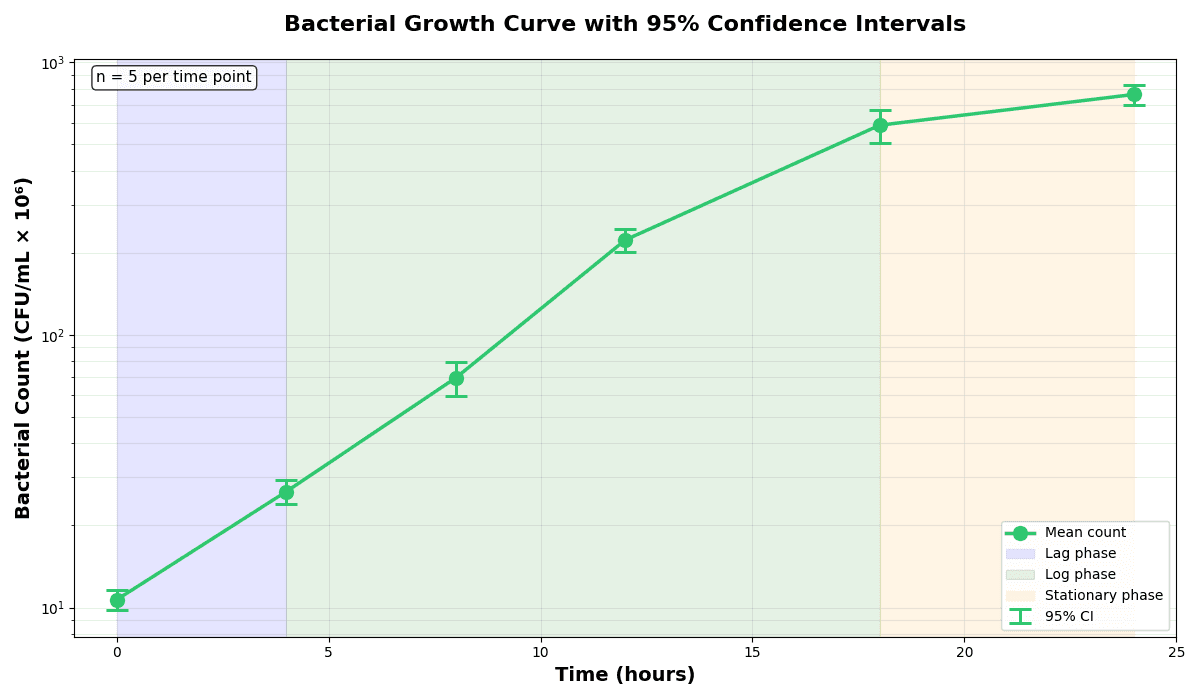
Error Bars
Create error bars in Python with Matplotlib to show standard deviation, standard error, confidence intervals, or other measurement uncertainty.
Sample code / prompt
import numpy as np
import matplotlib.pyplot as plt
from scipy import stats

# Generate bacterial growth data with replicates
np.random.seed(42)
time_points = np.array([0, 4, 8, 12, 18, 24])
mean_values = np.array([10, 25, 80, 250, 600, 800])

# Generate 5 replicates per time point with noiseTry the Tool Built for Scientists
Upload your data, describe your visualization, and get publication-quality figures with full code export. Free during beta.
Technique guides scientists read next
scipy.signal.find_peaks guide
Tune prominence and width parameters for robust peak extraction.
Savitzky-Golay smoothing
Reduce noise while preserving peak shape and position.
PCA visualization workflow
Move from high-dimensional measurements to interpretable components.
ANOVA with post-hoc brackets
Add statistically correct pairwise significance annotations.
Found this helpful? Share it with your network.
Experimental Physicist & Photonics Researcher
Hands-on experience in silicon photonics, semiconductor fabrication (DRIE/ICP-RIE), optical simulation, and data-driven analysis. Built Plotivy to help researchers focus on discoveries instead of data struggles.
More about the authorVisualize your own data
Apply the techniques from this article to your own datasets. Upload CSV, Excel, or paste data directly.