AI Tools for Scientific Plotting: Generate Curves & Graphs Automatically
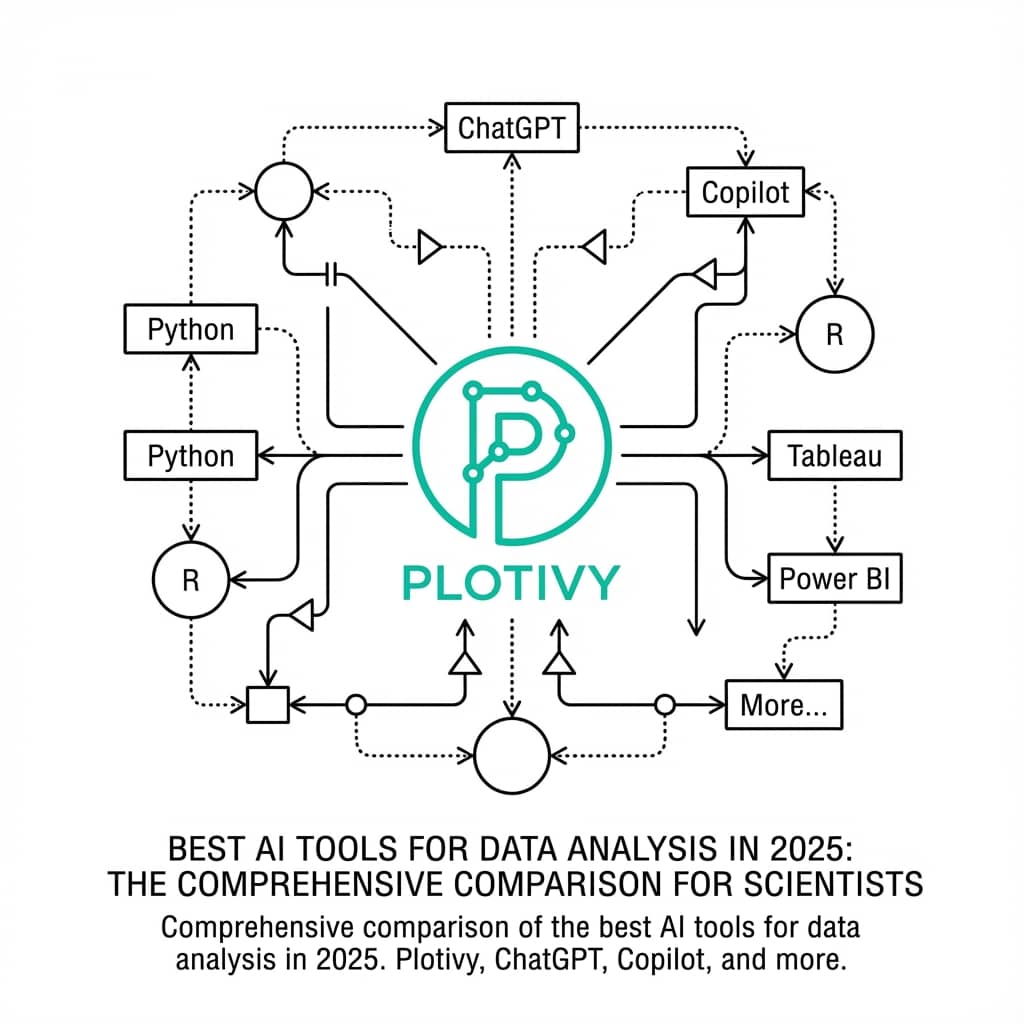
AI is transforming how researchers create scientific visualizations. Instead of learning Python syntax or wrestling with GUI tools, scientists can now describe what they want in plain language and get publication-ready graphs automatically.
This guide covers the best AI tools for generating scientific curves and plots - with a live code editor so you can try it yourself.
What You Will Learn
0.Live Code Lab: AI-Generated Plot
1.How AI Plotting Tools Work
2.Best AI Tools Compared
3.Engineering Applications
4.Computer Science Applications
5.AI vs Traditional Tools
6.Best Practices
0. Live Code Lab: AI-Generated Bode Plot
This is what happens when you ask an AI tool: "Create a Bode plot for a second-order low-pass filter with f0=1kHz and Q=0.707." The fully-commented Python code is produced automatically.
1. How AI Plotting Tools Work
Modern AI plotting tools combine large language models (LLMs) with code execution environments. The pipeline:
Data Analysis
The AI examines your dataset structure, column types, and distributions
Intent Understanding
Natural language processing interprets your visualization request
Code Generation
The model writes Python/matplotlib code to produce the desired plot
Execution
Code runs in a sandboxed environment to generate the figure
Iteration
You can refine results through conversational feedback
2. Best AI Tools for Scientific Plotting (2026)
If you want a side-by-side baseline against manual workflows, pair this section with our traditional scientific plotting software comparison.
Try it
Try it now: turn this method into your next figure
Apply the same approach to your own dataset and generate clean, publication-ready code and plots in minutes.
Open in Plotivy Analyze →Newsletter
Get a weekly Python plotting tip
One concise tip each week for cleaner, faster scientific figures. Built for researchers who publish.
Plotivy
Purpose-built for scientific visualization. Understands domain-specific terminology (Michaelis-Menten, Arrhenius, Fourier transform) and produces publication-quality output with journal-specific formatting presets.
ChatGPT + Code Interpreter
General-purpose tool. Can generate plots but often lacks scientific conventions like proper error bars, axis scaling, and publication formatting. Requires manual refinement.
Julius AI
Focused on business analytics and dashboards. Capable of basic scientific plots but optimized for charts common in business intelligence rather than research publications.
GitHub Copilot
Assists with writing plotting code in your IDE but requires you to already know how to structure your script. A coding assistant, not a standalone plotting tool.
3. Engineering Applications
Electrical Engineering
- Bode plots (magnitude + phase)
- I-V characteristic curves
- Heatmaps for FFT power spectra
- Signal waveforms
Mechanical Engineering
- Stress-strain curves
- Fatigue S-N curves
- Thermal profiles
- Radar charts for force-displacement profile comparisons
Civil Engineering
- Mohr's circle
- Particle size distribution
- Compaction curves
- Consolidation curves
4. Computer Science Applications
Training Curves
Loss and accuracy over epochs with validation splits
Confusion Matrices
Classification performance heatmaps
ROC and PR Curves
Model evaluation with AUC scores
t-SNE / UMAP
High-dimensional data embeddings
Complexity Analysis
Big-O runtime comparisons
Network Graphs
Architecture diagrams, node relationships
For model evaluation workflows, combine this with the ROC curve tutorial and PCA visualization guide.
Try AI Scientific Plotting
Describe your visualization and get publication-ready results. Free to use.
Free account required - export publication-ready figures instantly.
5. AI vs Traditional Plotting Tools
| Feature | AI Tools | Traditional (Manual) |
|---|---|---|
| Learning curve | Minutes (natural language) | Hours to weeks |
| Customization | Conversational iterations | Full control (if skilled) |
| Reproducibility | Code export included | Depends on workflow |
| Speed | Very fast | Variable |
| Edge cases | May need guidance | Full manual control |
6. Best Practices for AI-Assisted Plotting
Be specific: 'line plot with error bars' beats 'visualize my data'
Mention the domain: include terms like 'enzyme kinetics' or 'Bode plot'
Request statistics: ask for R-squared, p-values, or confidence intervals explicitly
Iterate conversationally: 'make the legend smaller' or 'use colorblind-safe colors'
Always review the code: check that correct statistical methods were applied
Export and save: keep vector formats (PDF/SVG) for future editing
Chart gallery
Explore AI-generated chart types
Every chart in this gallery was generated with an AI-assisted workflow.

Scatterplot
A scatter plot displays two quantitative variables as points, helping you examine relationships, clusters, outliers, and regression trends.
Sample code / prompt
import matplotlib.pyplot as plt
import numpy as np
from scipy import stats
import pandas as pd

# Generate sample data
np.random.seed(42)
n_samples = 200
height = np.random.normal(170, 8, n_samples)
weight = height * 0.6 + np.random.normal(0, 8, n_samples) - 50
Line Graph
Create a line graph in Python to connect ordered data points, reveal time-series trends, and compare how multiple values change across a continuous scale.
Sample code / prompt
import matplotlib.pyplot as plt
import numpy as np

# Generate temperature data for 3 major US cities over 12 months
months = ['Jan', 'Feb', 'Mar', 'Apr', 'May', 'Jun', 'Jul', 'Aug', 'Sep', 'Oct', 'Nov', 'Dec']
nyc = [30, 32, 40, 52, 65, 75, 82, 81, 74, 63, 50, 38]
miami = [65, 66, 70, 76, 82, 87, 90, 90, 87, 80, 72, 66]
chicago = [25, 27, 35, 48, 62, 72, 80, 79, 71, 60, 45, 32]

# Create figure with enhanced styling
Bar Chart
Create a bar chart in Python to compare categorical values with proportional bars, error bars, clear labels, and grouped comparisons.
Sample code / prompt
import numpy as np
import pandas as pd
import matplotlib.pyplot as plt
import seaborn as sns
from scipy import stats

# Generate performance scores for 5 treatment groups
np.random.seed(42)
groups = ['Control', 'Treatment A', 'Treatment B', 'Treatment C', 'Treatment D']
n_samples = 30
Heatmap
Represents data values as colors in a two-dimensional matrix format.
Sample code / prompt
import matplotlib.pyplot as plt
import seaborn as sns
import pandas as pd
import numpy as np

# Create correlation matrix for financial metrics
metrics = ['Revenue', 'Profit', 'Expenses', 'ROI', 'Customers', 'AOV', 'Marketing', 'Employees']
correlation_data = np.array([
    [1.00, 0.85, -0.45, 0.72, 0.88, 0.65, 0.72, 0.55],
    [0.85, 1.00, -0.78, 0.92, 0.75, 0.58, 0.63, 0.48],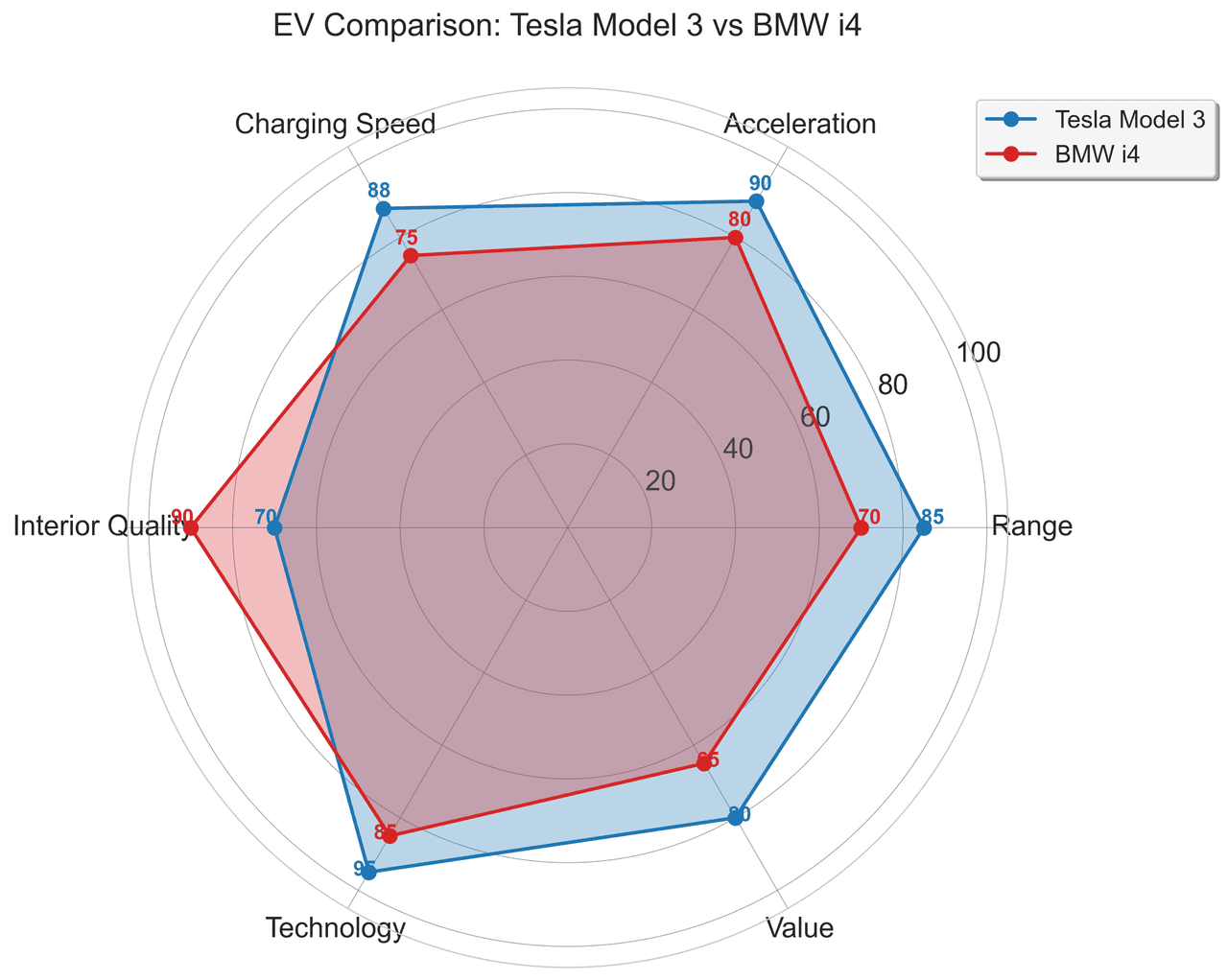
Radar Chart
Create a radar chart in Python to compare multivariate profiles on radial axes, with consistent scales and clear labels for each metric.
Sample code / prompt
import numpy as np
import matplotlib.pyplot as plt
from matplotlib.patches import Circle
import pandas as pd

# EV Model comparison data (0-100 scale)
categories = ['Range', 'Acceleration', 'Charging Speed',
              'Interior Quality', 'Technology', 'Value']
tesla_scores = [85, 90, 88, 70, 95, 80]
bmw_scores = [70, 80, 75, 90, 85, 65]Generate Your Scientific Plot in Seconds
Whether you are plotting Bode diagrams, training curves, or enzyme kinetics - describe what you need and get publication-ready results.
Free account required - launch Analyze instantly.
Technique guides scientists read next
scipy.signal.find_peaks guide
Tune prominence and width parameters for robust peak extraction.
Savitzky-Golay smoothing
Reduce noise while preserving peak shape and position.
PCA visualization workflow
Move from high-dimensional measurements to interpretable components.
ANOVA with post-hoc brackets
Add statistically correct pairwise significance annotations.
Found this helpful? Share it with your network.
Experimental Physicist & Photonics Researcher
Hands-on experience in silicon photonics, semiconductor fabrication (DRIE/ICP-RIE), optical simulation, and data-driven analysis. Built Plotivy to help researchers focus on discoveries instead of data struggles.
More about the authorVisualize your own data
Apply the techniques from this article to your own datasets. Upload CSV, Excel, or paste data directly.