CONSORT Diagram
Chart overview
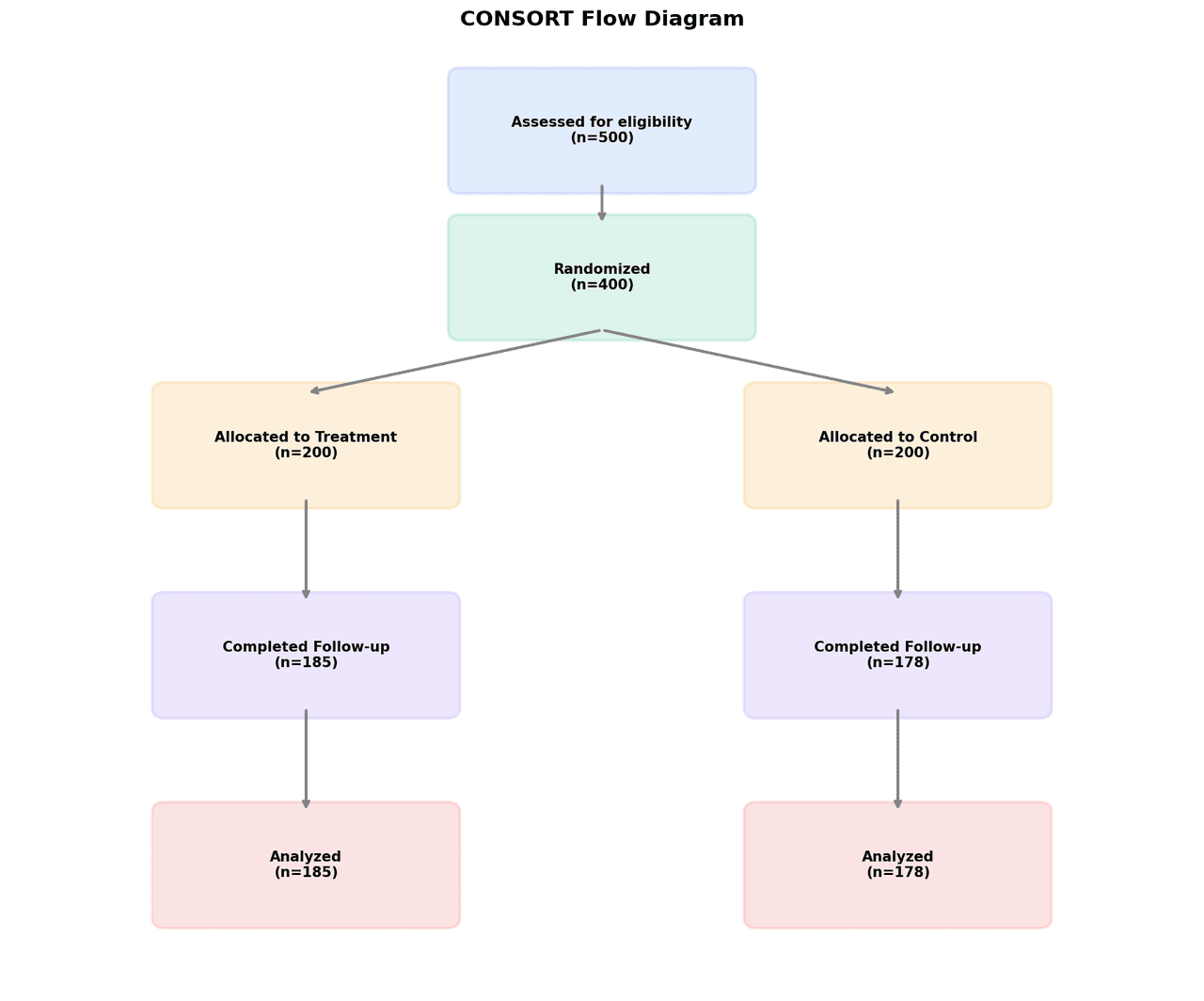
CONSORT diagrams are standardized flow charts required by journals for reporting randomized controlled trials, showing the number of participants screened, enrolled, randomly allocated, followed up, and analyzed at each stage.
Key points
- Clinical researchers use these figures to transparently document exclusions, dropouts, and protocol deviations according to CONSORT 2010 guidelines.
- The diagram structure ensures reproducibility and allows readers to assess potential bias in participant selection and attrition.
Create a CONSORT Diagram with your data using AI — no coding required.
Further reading
Complete Guide to Scientific Data Visualization
Chart selection, figure design, and publication-ready workflows for scientific teams.
Read the guideExample Visualization
Create This Chart Now
Generate publication-ready consort diagrams with AI in seconds. No coding required – just describe your data and let AI do the work.
View example prompt
"Create a CONSORT flow diagram from my data. Draw a vertical flowchart with boxes for Enrollment (screened, excluded with reasons, enrolled), Allocation (intervention and control arms), Follow-up (lost to follow-up per arm), and Analysis (analyzed per arm). Connect boxes with downward arrows. Use clean rectangular boxes with black borders, Arial font, and journal formatting."
How to create this chart with your data
Upload Data
Upload your Excel or CSV file. Data used to generate charts is sent to Plotivy's server for processing.
AI Generation
Our AI analyzes your data and generates the CONSORT Diagram code automatically.
Customize & Export
Tweak the design with natural language, then export as high-res PNG, SVG or PDF.
Newsletter
Get one weekly tip for better consort diagrams
Join researchers receiving concise Python plotting techniques to improve chart clarity and reduce revision cycles.
Python Code Example
Console Output
Figure saved: plotivy-consort-diagram.png
Common Use Cases
- 1Reporting participant flow in phase II and III randomized controlled trials
- 2Documenting screening, exclusion, and randomization counts in systematic reviews
- 3Visualizing per-protocol versus intention-to-treat analysis populations
- 4Presenting patient attrition and loss to follow-up in longitudinal observational studies
Pro Tips
Use matplotlib FancyBboxPatch and annotations with arrowprops to construct boxes and arrows programmatically
Strictly follow CONSORT 2010 box labels and stage names to satisfy journal requirements
Include reason counts for all exclusions in nested format within each exclusion box
Maintain consistent box widths and vertical spacing to keep the diagram readable at journal column width
Frequently asked questions
When should you use a CONSORT diagram?
CONSORT diagrams are standardized flow charts required by journals for reporting randomized controlled trials, showing the number of participants screened, enrolled, randomly allocated, followed up, and analyzed at each stage. Clinical researchers use these figures to transparently document exclusions, dropouts, and protocol deviations according to CONSORT 2010 guidelines. Common applications include reporting participant flow in phase II and III randomized controlled trials, documenting screening, exclusion, and randomization counts in systematic reviews, and visualizing per-protocol versus intention-to-treat analysis populations.
Which Python libraries can create a CONSORT diagram?
A CONSORT diagram can be built in Python with matplotlib and numpy — matplotlib for precise control over axes, annotations, and journal styling and numpy. In Plotivy you describe the figure and it writes the matplotlib code for you.
Can I make a CONSORT diagram without writing Python code?
Yes. Describe the CONSORT diagram you need in plain language and upload your dataset — Plotivy's AI writes the Python code and renders a publication-ready figure. You still get the full, editable matplotlib source, so nothing is locked in a black box.
What are best practices for a clear CONSORT diagram?
Use matplotlib FancyBboxPatch and annotations with arrowprops to construct boxes and arrows programmatically. Strictly follow CONSORT 2010 box labels and stage names to satisfy journal requirements.
Library comparison for this chart
matplotlib
Best when you need full control over axis formatting, annotation placement, and journal-specific styling for consort-diagram.
numpy
Useful in specialized workflows that complement core Python plotting libraries for consort-diagram analysis tasks.
Scientific Chart Selection Cheat Sheet
Not sure whether to use a Violin Plot, Box Plot, or Ridge Plot? Download our single-page reference mapping the most-used scientific chart types, exactly when to use them, and the core Matplotlib/Seaborn functions.