Wind Rose
Chart overview
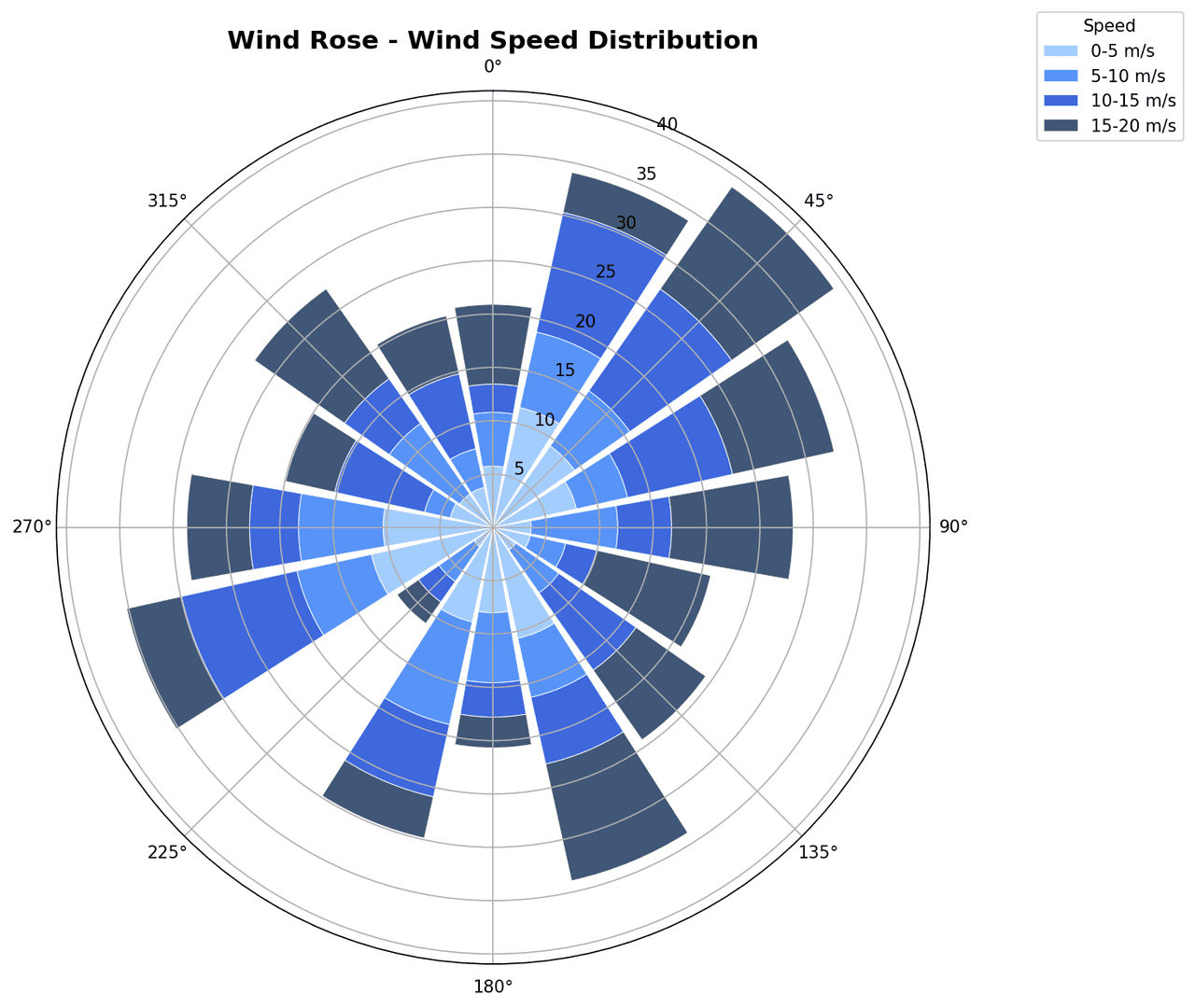
A wind rose is a circular histogram that simultaneously encodes wind direction frequency, wind speed class, and occurrence percentage for a given location and time period.
Key points
- Meteorologists, air quality scientists, and wind energy engineers rely on wind roses to characterize site climate, assess pollutant transport pathways, and evaluate turbine siting.
- They are a standard figure in environmental impact assessments and micrometeorological papers.
- The Matplotlib example below demonstrates stacked bars on a polar axis, with north at the top and a speed-class legend.
Create a Wind Rose with your data using AI — no coding required.
Further reading
Complete Guide to Scientific Data Visualization
Chart selection, figure design, and publication-ready workflows for scientific teams.
Read the guideExample Visualization
Create This Chart Now
Generate publication-ready wind roses with AI in seconds. No coding required – just describe your data and let AI do the work.
View example prompt
"Create a wind rose from my wind direction and speed data. Divide directions into 16 compass sectors, stack speed classes with distinct colors from a sequential colormap, label cardinal directions, show frequency percentage on the radial axis, and add a speed-class legend."
How to create this chart with your data
Upload Data
Upload your Excel or CSV file. Data used to generate charts is sent to Plotivy's server for processing.
AI Generation
Our AI analyzes your data and generates the Wind Rose code automatically.
Customize & Export
Tweak the design with natural language, then export as high-res PNG, SVG or PDF.
Newsletter
Get one weekly tip for better wind roses
Join researchers receiving concise Python plotting techniques to improve chart clarity and reduce revision cycles.
Python Code Example
Console Output
Figure saved: plotivy-wind-rose.png
Common Use Cases
- 1Characterizing prevailing wind patterns at a proposed wind farm site
- 2Assessing dominant dispersion directions for industrial emission modeling
- 3Comparing seasonal wind climatology at an airport meteorological station
- 4Evaluating urban heat island ventilation corridors for city planning
Pro Tips
Use 16 sectors (22.5 degrees each) for detailed directional resolution rather than the default 8
Normalize bar heights to percentage of total observations so sites with different record lengths are comparable
Choose a sequential colormap with enough distinct steps to separate at least 5 speed classes
Set the radial axis label at 45 degrees to avoid overlap with the directional bars
Frequently asked questions
When should you use a wind rose?
A wind rose is a circular histogram that simultaneously encodes wind direction frequency, wind speed class, and occurrence percentage for a given location and time period. Meteorologists, air quality scientists, and wind energy engineers rely on wind roses to characterize site climate, assess pollutant transport pathways, and evaluate turbine siting. Common applications include characterizing prevailing wind patterns at a proposed wind farm site, assessing dominant dispersion directions for industrial emission modeling, and comparing seasonal wind climatology at an airport meteorological station.
Which Python libraries can create a wind rose?
A wind rose can be built in Python with matplotlib and numpy — matplotlib for precise control over axes, annotations, and journal styling and numpy. In Plotivy you describe the figure and it writes the matplotlib code for you.
Can I make a wind rose without writing Python code?
Yes. Describe the wind rose you need in plain language and upload your dataset — Plotivy's AI writes the Python code and renders a publication-ready figure. You still get the full, editable matplotlib source, so nothing is locked in a black box.
What are best practices for a clear wind rose?
Use 16 sectors (22.5 degrees each) for detailed directional resolution rather than the default 8. Normalize bar heights to percentage of total observations so sites with different record lengths are comparable.
Library comparison for this chart
matplotlib
Best when you need full control over axis formatting, annotation placement, and journal-specific styling for wind-rose.
numpy
Useful in specialized workflows that complement core Python plotting libraries for wind-rose analysis tasks.
Scientific Chart Selection Cheat Sheet
Not sure whether to use a Violin Plot, Box Plot, or Ridge Plot? Download our single-page reference mapping the most-used scientific chart types, exactly when to use them, and the core Matplotlib/Seaborn functions.