Box Plot vs Violin Plot vs Bar Chart: Which Should You Use for Scientific Data?
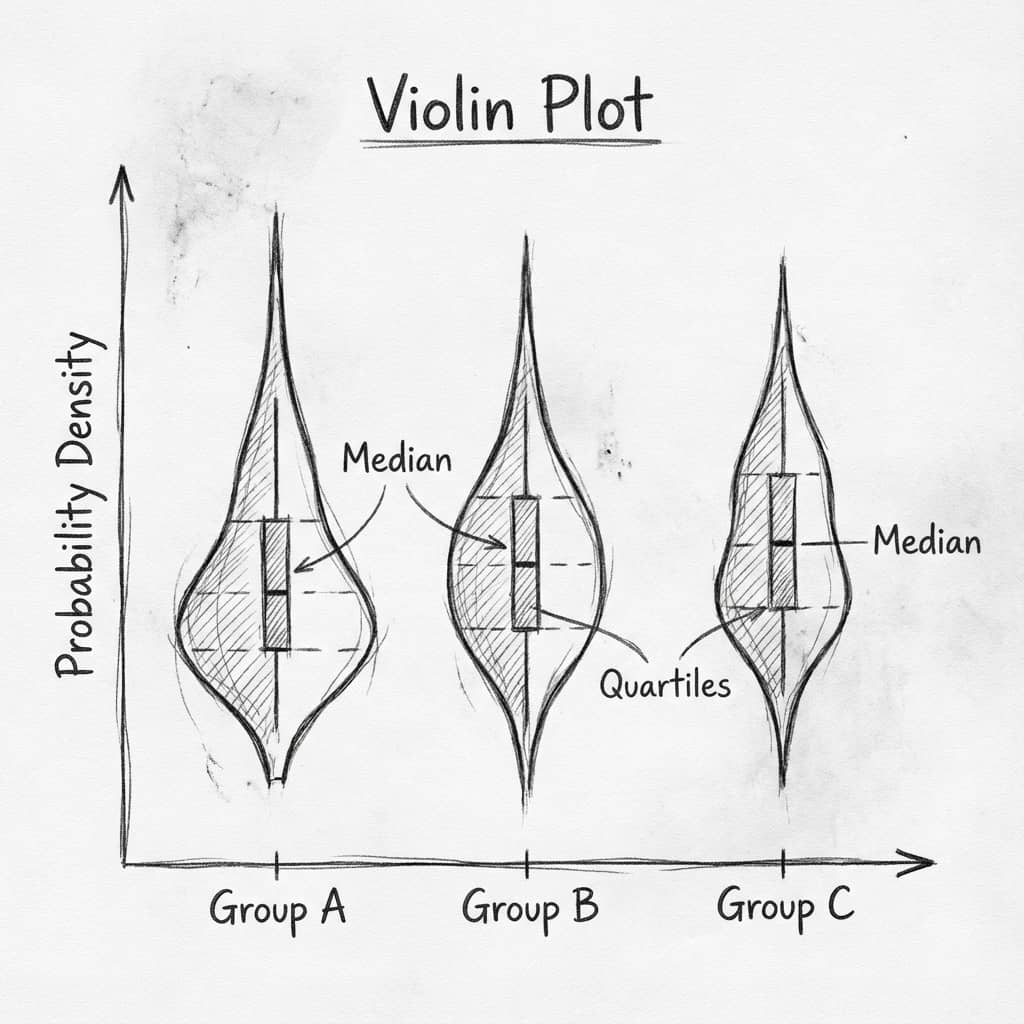
This is the chart-choice question people search for right before they make a figure: should I use a bar chart, a box plot, or a violin plot? The short answer is that bar charts summarize central tendency, box plots summarize spread, and violin plots show distribution shape.
Bar chart
Best for totals, means, and simple comparisons.
Box plot
Best when you need quartiles, median, and outliers.
Violin plot
Best when the full distribution shape matters.
Fast comparison
| Chart | Shows | Best for |
|---|---|---|
| Bar chart | Mean or total | Simple summary slides and counts |
| Box plot | Median, IQR, outliers | Group comparisons with uneven spread |
| Violin plot | Density shape and multimodality | Sample-rich scientific distributions |
Rules of thumb
- Use a bar chart only when the audience needs a compact summary and not the distribution.
- Use a box plot when quartiles and outliers matter more than the exact shape.
- Use a violin plot when you have enough data to estimate a meaningful density.
- Add raw points when sample size is modest and you want the figure to stay honest.
Decision checklist
Try it
Try it now: compare your groups with the right chart
Generate box, violin, or bar charts directly from your dataset and choose the clearest visual for your paper.
Generate comparison charts →Newsletter
Get a weekly Python plotting tip
One concise tip each week for cleaner, faster scientific figures. Built for researchers who publish.
If the figure is going into a paper, poster, or thesis, choose the chart based on what the reader needs to verify. A bar chart answers "how large is the summary value?", a box plot answers "how spread out are the groups?", and a violin plot answers "what does the full distribution look like?"
Do you need to compare totals or simple means?
Use a bar chart when the summary value is the message and distribution shape is not important.
Bar chart examplesDo you need to show median, spread, and outliers?
Use a box plot when the reader needs quartiles and a compact summary of group variation.
Box plot examplesDo you need to show distribution shape?
Use a violin plot when density, skew, or multimodality affects the interpretation.
Violin plot examplesUse this guide when
You need a defensible chart choice for a manuscript, poster, or lab report and want a clean explanation for reviewers.
Do not use a bar chart when
The distribution is skewed, bimodal, or built from a small sample where the mean hides the actual structure of the data.
Build it in Python
Once you have chosen a chart, follow the dedicated step-by-step tutorial to produce a publication-ready version with matplotlib or seaborn:
- How to make a box plot in Python — styling, raw-point overlays, grouped and horizontal layouts.
- How to make a violin plot in Python — inner box, split violins, and honest density with
cut=0. - How to create a bar chart in Python — grouped bars with error bars done correctly.
For a deeper violin plot explanation, read the violin plot guide. For a broader checklist of chart errors, see common visualization mistakes.
Try Plotivy on your datasetFAQ
Is a violin plot always better than a box plot?
No. A violin plot is useful when distribution shape matters, but a box plot is often clearer when the reader mainly needs median, IQR, and outliers. If the sample size is small, add raw points so the density estimate does not imply more structure than the data supports.
Should I replace every bar chart with a box plot?
No. A bar chart is still useful for totals, counts, and simple summaries. Replace it when the distribution, outliers, or sample size affects the scientific interpretation.
Related chart guides
Apply this tutorial directly in the chart gallery with ready-to-run prompts and examples.
Technique guides scientists read next
scipy.signal.find_peaks guide
Tune prominence and width parameters for robust peak extraction.
Savitzky-Golay smoothing
Reduce noise while preserving peak shape and position.
PCA visualization workflow
Move from high-dimensional measurements to interpretable components.
ANOVA with post-hoc brackets
Add statistically correct pairwise significance annotations.
Found this helpful? Share it with your network.
Experimental Physicist & Photonics Researcher
Hands-on experience in silicon photonics, semiconductor fabrication (DRIE/ICP-RIE), optical simulation, and data-driven analysis. Built Plotivy to help researchers focus on discoveries instead of data struggles.
More about the authorVisualize your own data
Apply the techniques from this article to your own datasets. Upload CSV, Excel, or paste data directly.