How to Make a Box Plot in Python (Matplotlib & Seaborn Guide)
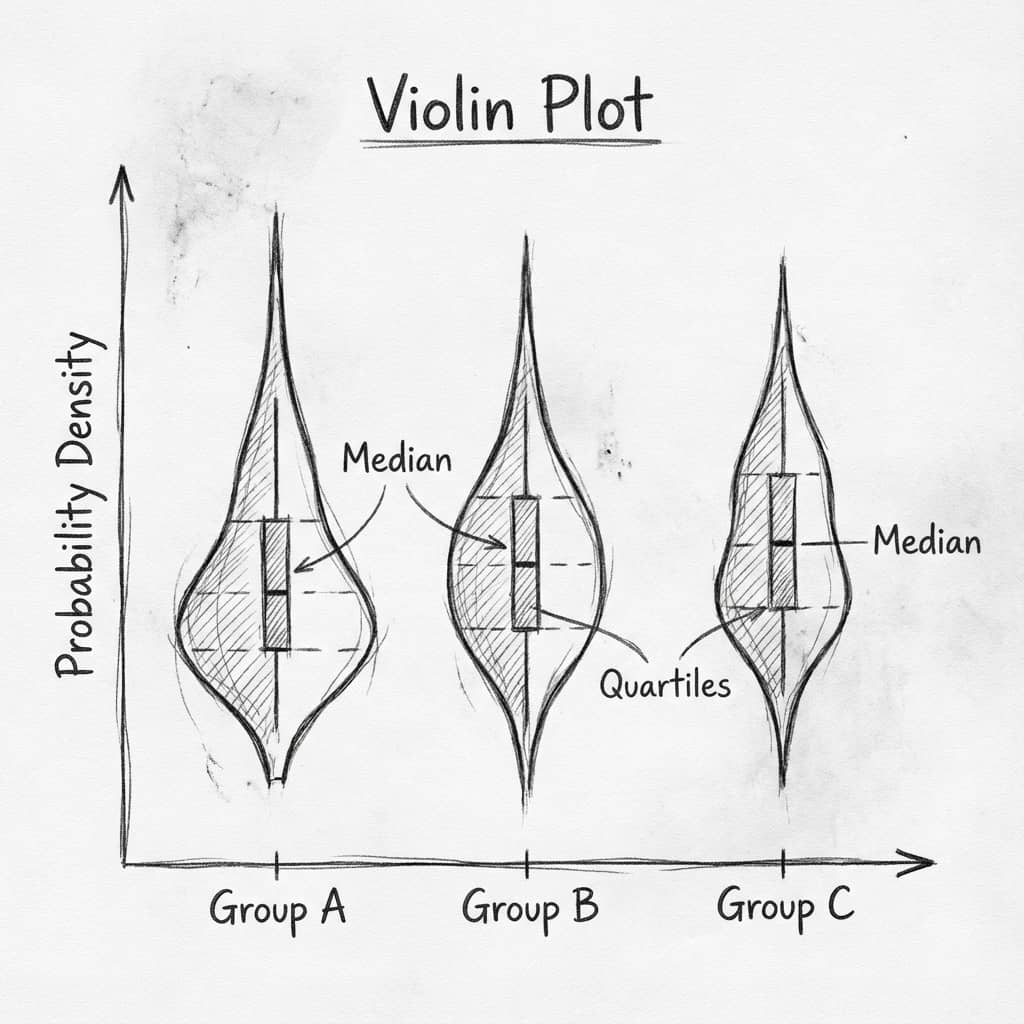
A box plot (also called a box-and-whisker plot) is the fastest way to compare the distribution of a numeric variable across groups. It shows the median, the interquartile range (IQR), and outliers in a single compact glyph, which makes it a staple of biology, clinical, and engineering papers. This guide covers everything from a one-line box plot to a fully styled, journal-ready figure in both matplotlib and seaborn.
If you are still deciding whether a box plot is the right chart at all, read our box plot vs violin plot vs bar chart comparison first. Otherwise, let us build one.
What the box shows
The box spans the 25th to 75th percentile (the IQR). The line inside is the median, not the mean.
Whiskers
By default they extend to 1.5 × IQR. Points beyond that are drawn as individual outliers (fliers).
Small n caveat
With fewer than ~10 points per group, overlay the raw data so reviewers can see the actual sample.
1. The minimal box plot
Pass a list of arrays to ax.boxplot(). Each array becomes one box. Use tick_labels to label the groups. On matplotlib 3.9+ the argument is tick_labels; on older versions it was labels.
import matplotlib.pyplot as plt
import numpy as np

rng = np.random.default_rng(42)
control = rng.normal(100, 8, 60)
treatment = rng.normal(88, 11, 60)

fig, ax = plt.subplots(figsize=(6, 4.5))
ax.boxplot([control, treatment], tick_labels=["Control", "Treatment"])
ax.set_ylabel("Cell viability (%)")
ax.set_title("Basic box plot")
plt.tight_layout()
2. Color and style the boxes
Filled boxes require patch_artist=True. The boxplot() call returns a dictionary of artists, so you can iterate over bp["boxes"] to set a per-group color. Keep the median line dark for contrast and reduce flier marker size so outliers do not dominate.
import matplotlib.pyplot as plt
import numpy as np

rng = np.random.default_rng(42)
groups = [rng.normal(loc, 9, 60) for loc in (100, 88, 72)]
labels = ["Control", "Drug A", "Drug B"]
colors = ["#6b7280", "#7c3aed", "#ec4899"]

fig, ax = plt.subplots(figsize=(6.2, 4.6))
bp = ax.boxplot(
    groups,
    tick_labels=labels,
    patch_artist=True,       # required to fill the boxes
    widths=0.55,
    medianprops=dict(color="black", linewidth=1.4),
    flierprops=dict(marker="o", markersize=4, markerfacecolor="none"),
)

for patch, color in zip(bp["boxes"], colors):
    patch.set_facecolor(color)
    patch.set_alpha(0.65)

ax.set_ylabel("Cell viability (%)")
ax.spines[["top", "right"]].set_visible(False)
plt.tight_layout()
3. The faster route: seaborn
Seaborn works directly from a tidy (long-format) DataFrame and handles grouping, coloring, and labels for you. Pass the grouping column to both x and hue (with legend=False) to get per-group colors without a redundant legend, which is the current seaborn-recommended pattern.
import seaborn as sns
import matplotlib.pyplot as plt
import pandas as pd
import numpy as np

rng = np.random.default_rng(42)
df = pd.DataFrame({
    "viability": np.concatenate([rng.normal(loc, 9, 60) for loc in (100, 88, 72)]),
    "group": np.repeat(["Control", "Drug A", "Drug B"], 60),
})

fig, ax = plt.subplots(figsize=(6.2, 4.6))
sns.boxplot(data=df, x="group", y="viability", hue="group",
            palette=["#6b7280", "#7c3aed", "#ec4899"], legend=False, ax=ax)
ax.set(xlabel="", ylabel="Cell viability (%)")
sns.despine()
plt.tight_layout()
4. Overlay the raw data points
Most journals now ask you to show individual observations alongside the summary, especially for small samples. Combine sns.boxplot (with fliersize=0 so outliers are not drawn twice) and sns.stripplot. This is the single most reviewer-friendly upgrade you can make to a box plot.
Try it
Try it now: compare your groups with the right chart
Generate box, violin, or bar charts directly from your dataset and choose the clearest visual for your paper.
Generate comparison charts →Newsletter
Get a weekly Python plotting tip
One concise tip each week for cleaner, faster scientific figures. Built for researchers who publish.
import seaborn as sns
import matplotlib.pyplot as plt
import pandas as pd
import numpy as np

rng = np.random.default_rng(7)
df = pd.DataFrame({
    "value": np.concatenate([rng.normal(loc, 9, 18) for loc in (100, 88, 72)]),
    "group": np.repeat(["Control", "Drug A", "Drug B"], 18),
})

fig, ax = plt.subplots(figsize=(6.2, 4.6))
sns.boxplot(data=df, x="group", y="value", hue="group",
            palette="Greys", legend=False, fliersize=0, ax=ax)
sns.stripplot(data=df, x="group", y="value", color="#7c3aed",
              size=4, jitter=0.18, alpha=0.85, ax=ax)
ax.set(xlabel="", ylabel="Response")
sns.despine()
plt.tight_layout()
5. Horizontal box plots for long labels
When group names are long (site names, gene IDs, drug names), a horizontal layout keeps them readable. In matplotlib, set vert=False; in seaborn, swap the x and y arguments.
import matplotlib.pyplot as plt
import numpy as np

rng = np.random.default_rng(42)
labels = ["Site E", "Site D", "Site C", "Site B", "Site A"]
data = [rng.normal(loc, 6, 50) for loc in (40, 46, 52, 58, 63)]

fig, ax = plt.subplots(figsize=(6.5, 4.2))
ax.boxplot(data, tick_labels=labels, vert=False, patch_artist=True,
           boxprops=dict(facecolor="#7c3aed", alpha=0.6))
ax.set_xlabel("Measurement")
ax.spines[["top", "right"]].set_visible(False)
plt.tight_layout()
6. Grouped box plots (two categorical variables)
To compare a condition across timepoints, doses, or sites, use hue in seaborn. This produces side-by-side boxes within each x-axis group and is far cleaner than juggling positions manually in matplotlib.
import seaborn as sns
import matplotlib.pyplot as plt
import pandas as pd
import numpy as np

rng = np.random.default_rng(42)
n = 40
df = pd.DataFrame({
    "value": np.concatenate([
        rng.normal(50, 6, n), rng.normal(58, 6, n),   # Day 1
        rng.normal(54, 6, n), rng.normal(70, 6, n),   # Day 7
    ]),
    "timepoint": np.repeat(["Day 1", "Day 1", "Day 7", "Day 7"], n),
    "condition": np.tile(np.repeat(["Control", "Treated"], n), 2),
})

fig, ax = plt.subplots(figsize=(6.6, 4.6))
sns.boxplot(data=df, x="timepoint", y="value", hue="condition",
            palette=["#6b7280", "#7c3aed"], ax=ax)
ax.set(xlabel="", ylabel="Expression")
ax.legend(title="", frameon=False)
sns.despine()
plt.tight_layout()
Box plot anatomy: what each line means
| Element | Meaning |
|---|---|
| Box bottom / top | 25th percentile (Q1) and 75th percentile (Q3) |
| Line in box | Median (Q2) — not the mean |
| Box height | Interquartile range (IQR = Q3 − Q1) |
| Whiskers | Extend to the last point within 1.5 × IQR of the box |
| Fliers | Individual points beyond the whiskers (potential outliers) |
7. Export at journal quality
A box plot is only publication-ready once it is exported correctly. Save at 300 DPI minimum, trim whitespace, and use a vector format (PDF or SVG) when the journal accepts it. See our high-resolution export guide for the full checklist.
import matplotlib.pyplot as plt

# ... build your box plot on the axes "ax" ...

fig.savefig(
    "boxplot_figure.png",
    dpi=300,                 # 300 DPI minimum for most journals
    bbox_inches="tight",     # trim surrounding whitespace
    facecolor="white",       # avoid transparent backgrounds in print
)
fig.savefig("boxplot_figure.pdf", bbox_inches="tight")  # vector for line art
Common mistakes and how to fix them
- Boxes will not fill with color — you forgot
patch_artist=Truein matplotlib. - Outliers appear twice — when overlaying a strip plot, set
fliersize=0(seaborn) orshowfliers=False(matplotlib) on the box plot. - Reader assumes the line is the mean — state explicitly in the caption that the center line is the median, or add a marker for the mean with
showmeans=True. - Box plot on tiny samples — with n < 10, quartiles are unstable. Overlay the raw points or use a dot plot instead.
- labels vs tick_labels error — newer matplotlib renamed
labelstotick_labels; use whichever your version expects.
When to use a box plot vs an alternative
Box plots summarize distribution shape compactly, but they hide multimodality. If the shape of the distribution matters — for example two hidden subpopulations — a violin plot reveals it where a box plot would not. If you mainly need to compare group means with uncertainty, a bar chart with error bars may communicate faster.
Frequently asked questions
How do I show the mean on a box plot in Python?
Pass showmeans=True to ax.boxplot(). You can style the marker with meanprops. Always clarify in the caption that the box line is the median and the marker is the mean, since the two are easy to confuse.
How do I change what the whiskers represent?
The whis argument controls whisker extent. whis=1.5 is the default (Tukey) rule. Use whis=(5, 95) to set whiskers at the 5th and 95th percentiles, which some fields prefer. Document your choice in the methods section.
Should I use matplotlib or seaborn for box plots?
Use seaborn when your data is in a tidy DataFrame and you want grouping and color handled automatically. Drop to matplotlib when you need pixel-level control over every artist for a final journal figure. Because seaborn is built on matplotlib, you can mix both: build with seaborn, then fine-tune the returned axes.
How do I add statistical significance brackets?
Draw brackets manually with ax.plot and ax.text, or use the statannotations library, which places p-value annotations between box pairs automatically and supports common tests.
Skip the boilerplate: upload your data, type "box plot of viability by treatment group with individual points overlaid," and Plotivy writes the matplotlib or seaborn code for you — styling, overlay, and journal export included.
Generate a box plot in PlotivyRelated chart guides
Apply this tutorial directly in the chart gallery with ready-to-run prompts and examples.
Technique guides scientists read next
scipy.signal.find_peaks guide
Tune prominence and width parameters for robust peak extraction.
Savitzky-Golay smoothing
Reduce noise while preserving peak shape and position.
PCA visualization workflow
Move from high-dimensional measurements to interpretable components.
ANOVA with post-hoc brackets
Add statistically correct pairwise significance annotations.
Found this helpful? Share it with your network.
Experimental Physicist & Photonics Researcher
Hands-on experience in silicon photonics, semiconductor fabrication (DRIE/ICP-RIE), optical simulation, and data-driven analysis. Built Plotivy to help researchers focus on discoveries instead of data struggles.
More about the authorVisualize your own data
Apply the techniques from this article to your own datasets. Upload CSV, Excel, or paste data directly.