How to Create and Order Bar Charts in R using ggplot2
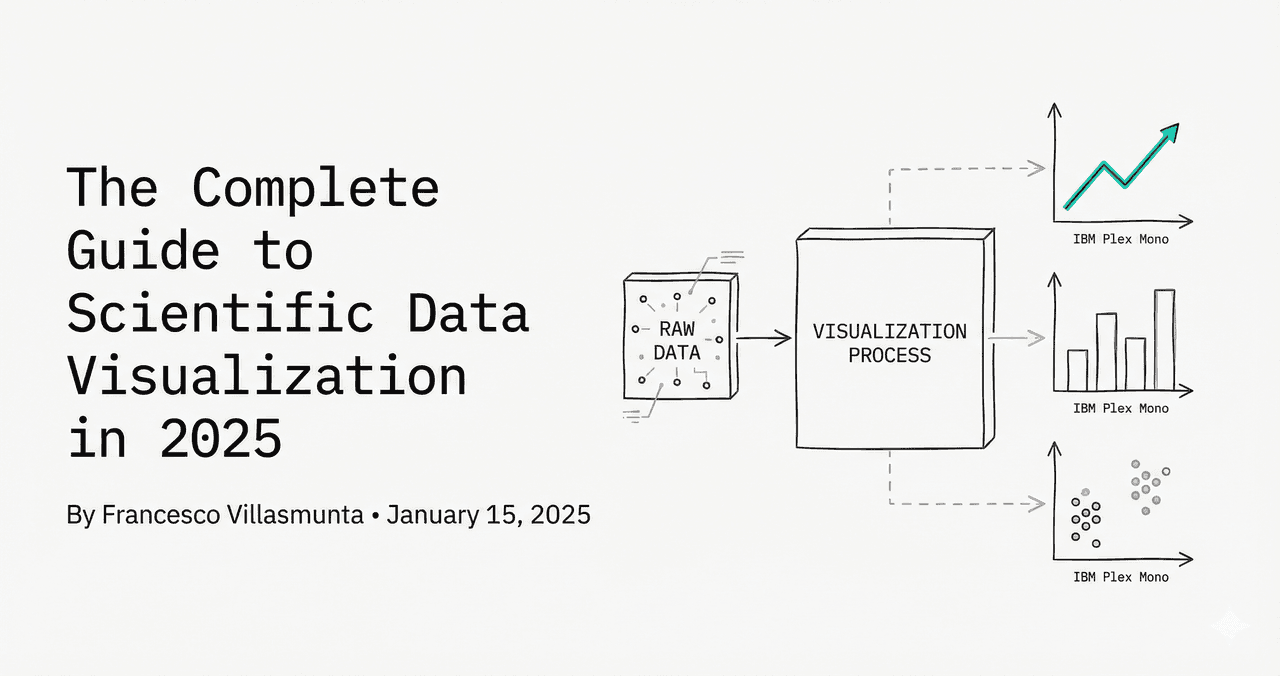
Bar charts are an effective way to compare measurements across categories. One of the most common issues researchers face is sorting: R defaults to alphabetical sorting of factors. This tutorial demonstrates how to reorder factor levels to present sorted data.
In This Tutorial
0.Live Code: Ordered Bar Chart with Error Bars
1.Basic Bar Chart (geom_col vs geom_bar)
2.Reordering Factors (reorder)
3.Grouped and Stacked Bar Charts
4.Adding Custom Error Bars
0. Live Code: Ordered Bar Chart with Error Bars
Group comparison. Customize parameters using Python below, or upload your data to run R directly.
1. Basic Bar Chart: geom_col vs geom_bar
Use geom_col() when you have pre-computed heights (y values). Use geom_bar() when you want ggplot2 to count occurrences of a categorical variable:
R / ggplot2
# Pre-computed heights
ggplot(df, aes(x = group, y = mean_value)) +
  geom_col(fill = "#4f46e5")

# Count frequencies
ggplot(df, aes(x = raw_category)) +
  geom_bar()
2. Reordering Factors for Clearer Visuals
Try it
Try it now: compare your groups with the right chart
Generate box, violin, or bar charts directly from your dataset and choose the clearest visual for your paper.
Generate comparison charts →Newsletter
Get a weekly Python plotting tip
One concise tip each week for cleaner, faster scientific figures. Built for researchers who publish.
Avoid alphabetical defaults. Sort factors using the reorder() function inside the aesthetic mapping:
R / ggplot2
# Sort x-axis ascending by mean_value
ggplot(df, aes(x = reorder(group, mean_value), y = mean_value)) +
  geom_col()

# Sort x-axis descending by mean_value
ggplot(df, aes(x = reorder(group, -mean_value), y = mean_value)) +
  geom_col()
3. Grouped and Stacked Bar Charts
Specify grouping behavior using the `position` argument. Use `position_dodge()` to place bars side by side:
R / ggplot2
# Grouped bars
ggplot(df, aes(x = group, y = value, fill = treatment)) +
  geom_col(position = position_dodge(width = 0.8), width = 0.7)
4. Adding Custom Error Bars
Incorporate standard deviation or standard error values using the geom_errorbar() layer. Use `position_dodge` matching the bar width:
R / ggplot2
ggplot(df, aes(x = group, y = mean, fill = treatment)) +
  geom_col(position = position_dodge(width = 0.8), width = 0.7) +
  geom_errorbar(aes(ymin = mean - se, ymax = mean + se),
                position = position_dodge(width = 0.8),
                width = 0.25, size = 0.5, color = "black")
Chart gallery
Explore related formats
Review comparison plots.

Bar Chart
Create a bar chart in Python to compare categorical values with proportional bars, error bars, clear labels, and grouped comparisons.
Sample code / prompt
import numpy as np
import pandas as pd
import matplotlib.pyplot as plt
import seaborn as sns
from scipy import stats

# Generate performance scores for 5 treatment groups
np.random.seed(42)
groups = ['Control', 'Treatment A', 'Treatment B', 'Treatment C', 'Treatment D']
n_samples = 30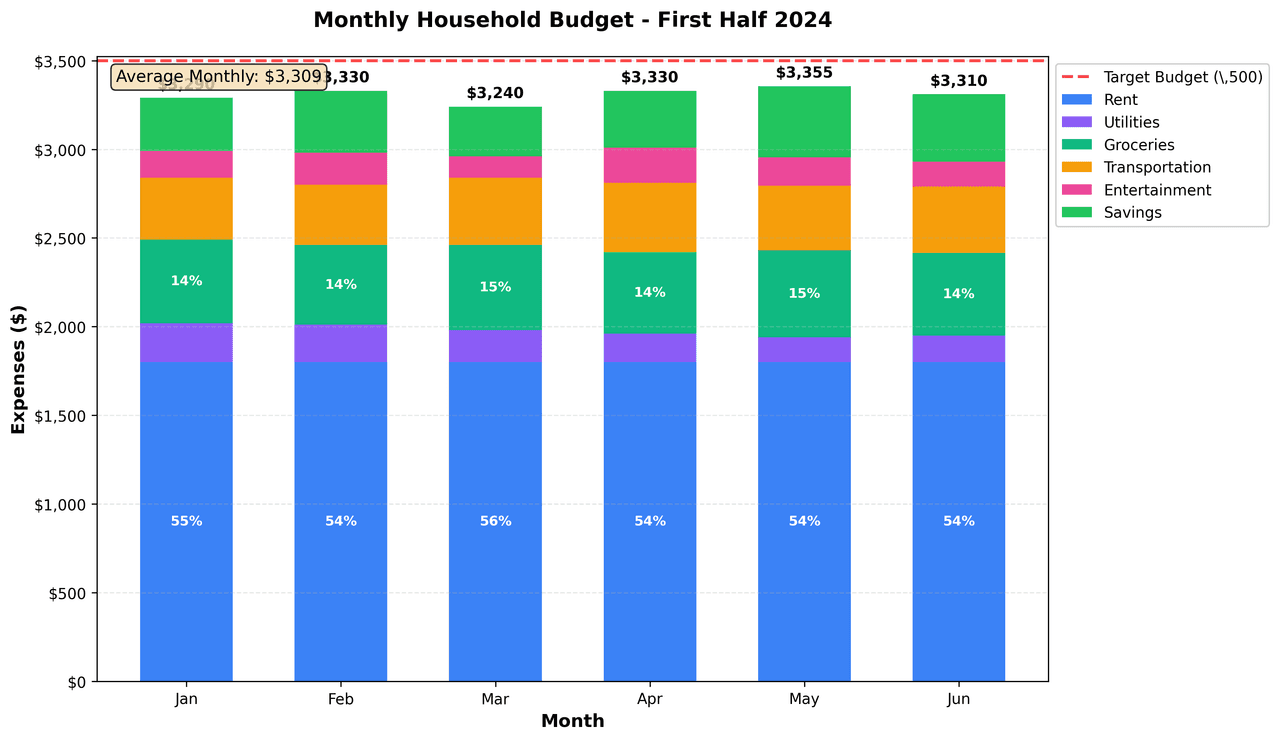
Stacked Bar Graph
A bar chart where parts of the total are stacked on top of each other.
Sample code / prompt
import matplotlib.pyplot as plt
import numpy as np

# Monthly expense data (Jan-Jun)
months = ['Jan', 'Feb', 'Mar', 'Apr', 'May', 'Jun']
np.random.seed(42)

# Fixed and variable expenses
rent = np.array([1800] * 6)
utilities = np.array([220, 210, 180, 160, 140, 150])Build This Bar Chart Online
Upload your data and describe the design. Plotivy writes the ggplot2 code and executes it instantly.
Related chart guides
Apply this tutorial directly in the chart gallery with ready-to-run prompts and examples.
Technique guides scientists read next
scipy.signal.find_peaks guide
Tune prominence and width parameters for robust peak extraction.
Savitzky-Golay smoothing
Reduce noise while preserving peak shape and position.
PCA visualization workflow
Move from high-dimensional measurements to interpretable components.
ANOVA with post-hoc brackets
Add statistically correct pairwise significance annotations.
Found this helpful? Share it with your network.
Experimental Physicist & Photonics Researcher
Hands-on experience in silicon photonics, semiconductor fabrication (DRIE/ICP-RIE), optical simulation, and data-driven analysis. Built Plotivy to help researchers focus on discoveries instead of data struggles.
More about the authorVisualize your own data
Apply the techniques from this article to your own datasets. Upload CSV, Excel, or paste data directly.