Design of Experiments (DOE): The Complete Guide for Researchers (2026)
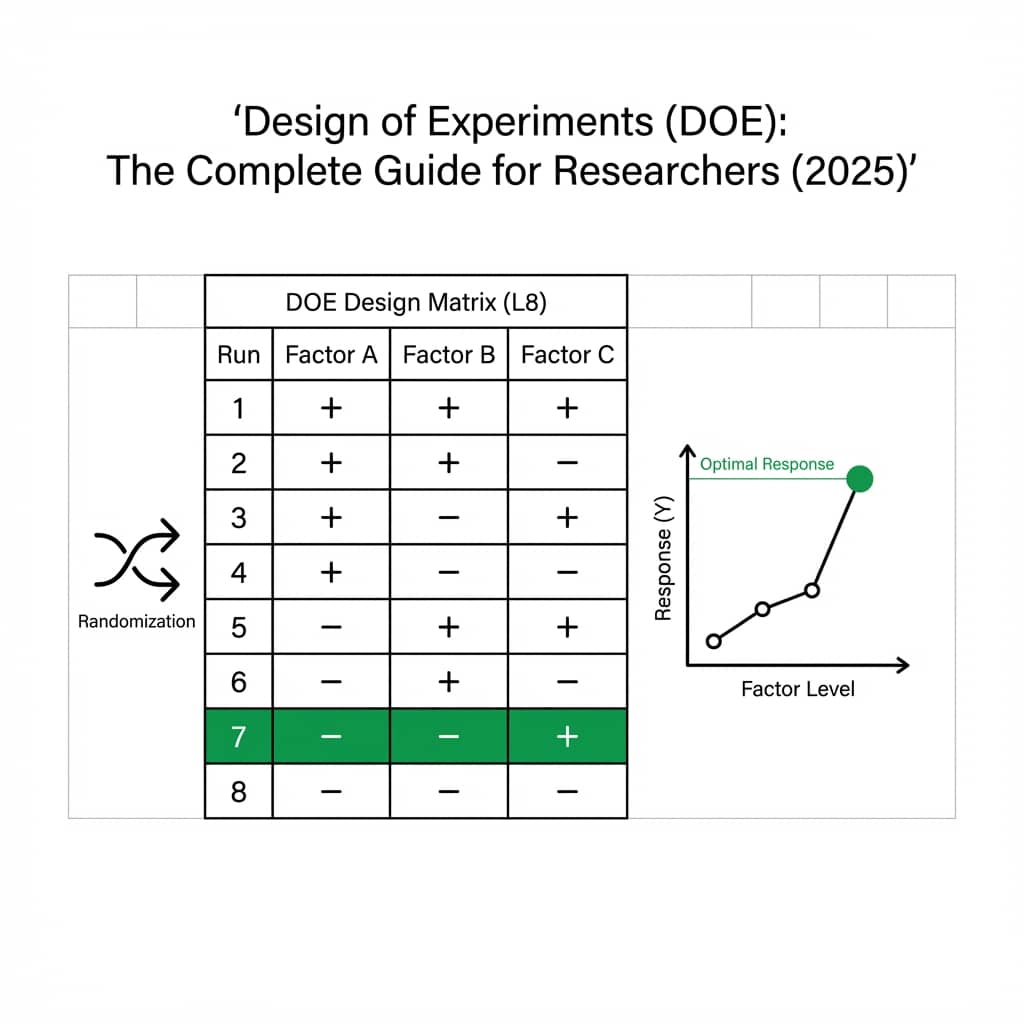
Design of Experiments (DOE) is the foundation of rigorous scientific research. Whether you are optimizing a chemical process, testing drug efficacy, or evaluating material properties, a well-designed experiment is the difference between publishable results and wasted resources.
This guide covers everything from basic DOE principles to advanced techniques, with a live Python editor demonstrating factorial analysis you can run and modify.
What You Will Learn
0.Live Code Lab: Factorial Analysis
1.What is DOE?
2.Types of Designs
3.The 5-Step DOE Process
4.Example: Chemical Optimization
5.Visualizing DOE Results
0. Live Code Lab: 2^3 Factorial Analysis
A complete 2^3 full factorial design analysis showing main effects and interaction plots. Three factors (temperature, pressure, catalyst) at two levels each. Modify the effect sizes to see how interactions change.
1. What is Design of Experiments?
DOE is a systematic method for determining relationships between factors affecting a process and the output of that process. It allows you to:
Identify Key Factors
Determine which variables have the biggest impact on your outcome
Understand Interactions
Discover how multiple variables work together (synergy or antagonism)
Optimize Conditions
Find the combination of settings that maximizes performance
Minimize Runs
Get maximum information from the fewest experiments possible
2. Types of Experimental Designs
Full Factorial (2^k)
Tests all possible combinations of factors at all levels. Best for 2-4 factors.
Example: 2^3 = 8 runs for 3 factors at 2 levels each
Fractional Factorial
Uses a subset of runs to estimate main effects when you have many factors (5+). Efficient for screening experiments.
Example: 2^(6-2) = 16 runs instead of 64 for 6 factors
Response Surface Methodology (RSM)
Used for optimization after screening. Central composite and Box-Behnken designs help find optimal conditions in continuous factor spaces.
Try it
Try it now: turn this method into your next figure
Apply the same approach to your own dataset and generate clean, publication-ready code and plots in minutes.
Open in Plotivy Analyze →Newsletter
Get a weekly Python plotting tip
One concise tip each week for cleaner, faster scientific figures. Built for researchers who publish.
3. The 5-Step DOE Process
Define Your Research Question
Start with a clear hypothesis. What factors might affect your outcome? What is the expected direction of effects?
Select Factors and Levels
Choose 2-6 factors. Each factor should have 2-3 levels (low, medium, high). More factors = exponentially more runs.
Choose Your Design
Full factorial for 2-4 factors, fractional for 5+, RSM for optimization. Match the design to your goals.
Randomize and Execute
Randomization prevents bias. Execute trials in random order and carefully record all measurements.
Analyze and Visualize
Calculate main effects and interactions. Create publication-quality figures with Plotivy.
Pro Tip
Always include center-point replicates (mid-level of all factors) to check for curvature and estimate pure error.
4. Example: Optimizing a Chemical Reaction
You are optimizing yield in a chemical synthesis with three factors: temperature, pressure, and catalyst concentration. A 2^3 full factorial design requires only 8 runs to understand all main effects and two-way interactions.
| Run | Temperature | Pressure | Catalyst | Yield (%) |
|---|---|---|---|---|
| 1 | Low | Low | Low | 44 |
| 2 | High | Low | Low | 56 |
| 3 | Low | High | Low | 53 |
| 4 | High | High | Low | 73 |
| 5 | Low | Low | High | 50 |
| 6 | High | Low | High | 62 |
| 7 | Low | High | High | 56 |
| 8 | High | High | High | 80 |
5. Visualizing DOE Results
Once your experiments are complete, upload results to Plotivy and ask for visualizations like "Create an interaction plot showing temperature x catalyst effect on yield".
Bar Charts
Main effects comparison
Interaction Plots
Factor interactions
Contour Plots
Response surface
Box Plots
Replicate variability
Try Our Free Experiment Planner
Design factorial experiments with AI guidance. Get randomization schemes and measurement plans in minutes.
Chart gallery
DOE visualization templates
Start from these chart types commonly used in experimental design analysis.

Bar Chart
Create a bar chart in Python to compare categorical values with proportional bars, error bars, clear labels, and grouped comparisons.
Sample code / prompt
import numpy as np
import pandas as pd
import matplotlib.pyplot as plt
import seaborn as sns
from scipy import stats

# Generate performance scores for 5 treatment groups
np.random.seed(42)
groups = ['Control', 'Treatment A', 'Treatment B', 'Treatment C', 'Treatment D']
n_samples = 30
Heatmap
Represents data values as colors in a two-dimensional matrix format.
Sample code / prompt
import matplotlib.pyplot as plt
import seaborn as sns
import pandas as pd
import numpy as np

# Create correlation matrix for financial metrics
metrics = ['Revenue', 'Profit', 'Expenses', 'ROI', 'Customers', 'AOV', 'Marketing', 'Employees']
correlation_data = np.array([
    [1.00, 0.85, -0.45, 0.72, 0.88, 0.65, 0.72, 0.55],
[0.85, 1.00, -0.78, 0.92, 0.75, 0.58, 0.63, 0.48],.png&w=1280&q=70)
Box and Whisker Plot
Create a box plot in Python to compare distributions using quartiles, medians, whiskers, and outliers.
Sample code / prompt
import numpy as np
import pandas as pd
import matplotlib.pyplot as plt
import seaborn as sns
from scipy import stats

# Generate gene expression data for 4 genotypes
np.random.seed(42)
genotypes = ['WT', 'KO1', 'KO2', 'Mutant']
n_per_group = 20
Scatterplot
A scatter plot displays two quantitative variables as points, helping you examine relationships, clusters, outliers, and regression trends.
Sample code / prompt
import matplotlib.pyplot as plt
import numpy as np
from scipy import stats
import pandas as pd

# Generate sample data
np.random.seed(42)
n_samples = 200
height = np.random.normal(170, 8, n_samples)
weight = height * 0.6 + np.random.normal(0, 8, n_samples) - 50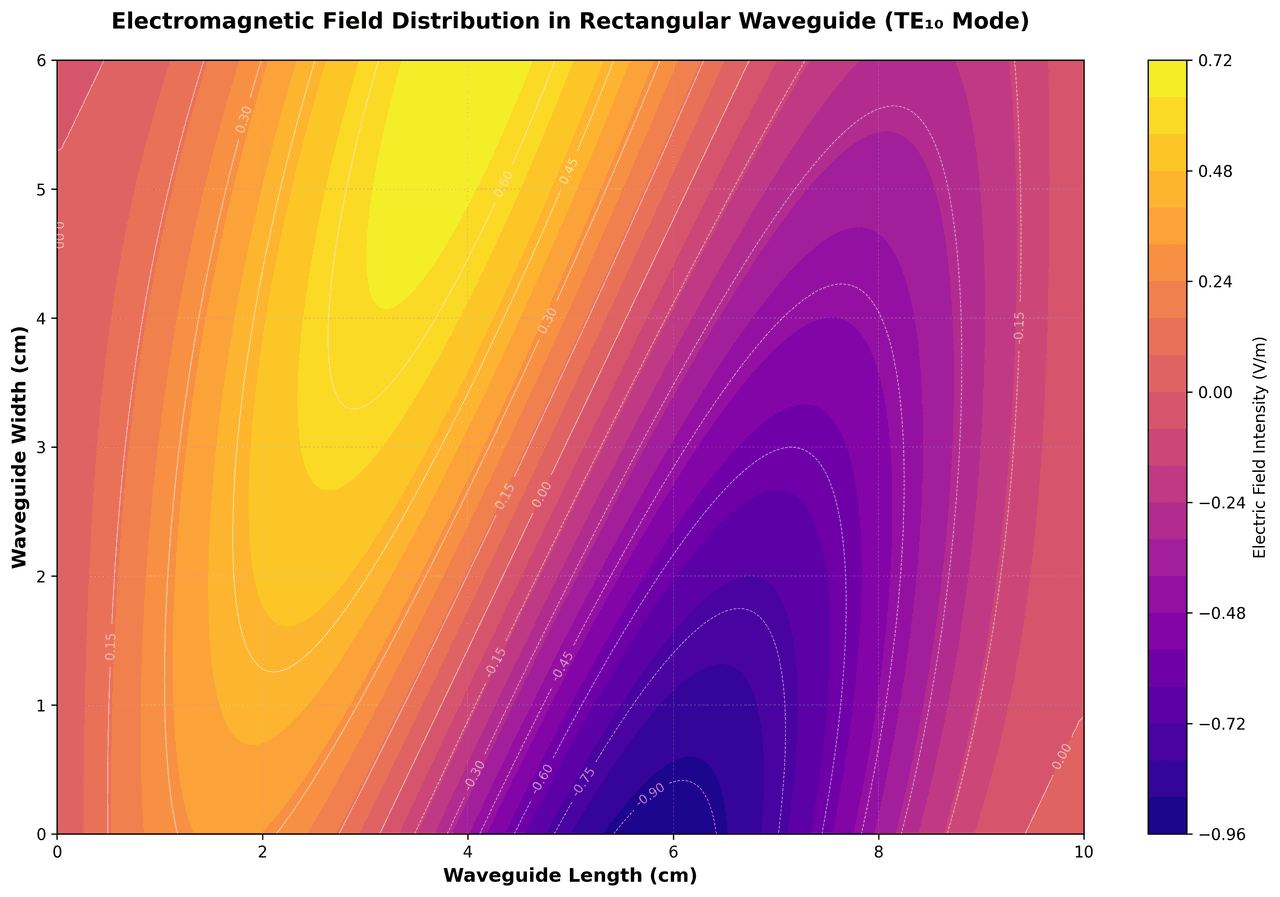
Contour Map
Displays three-dimensional data in two dimensions using contour lines connecting points of equal value.
Sample code / prompt
import matplotlib.pyplot as plt
import numpy as np

# Create electromagnetic field distribution in a rectangular waveguide
x = np.linspace(0, 10, 200)
y = np.linspace(0, 6, 120)
X, Y = np.meshgrid(x, y)

# TE10 mode in rectangular waveguide - dominant mode
# Electric field patternDesign, Execute, Analyze
Use the experiment planner to design your DOE, then upload results to create publication-ready figures automatically.
Technique guides scientists read next
scipy.signal.find_peaks guide
Tune prominence and width parameters for robust peak extraction.
Savitzky-Golay smoothing
Reduce noise while preserving peak shape and position.
PCA visualization workflow
Move from high-dimensional measurements to interpretable components.
ANOVA with post-hoc brackets
Add statistically correct pairwise significance annotations.
Found this helpful? Share it with your network.
Experimental Physicist & Photonics Researcher
Hands-on experience in silicon photonics, semiconductor fabrication (DRIE/ICP-RIE), optical simulation, and data-driven analysis. Built Plotivy to help researchers focus on discoveries instead of data struggles.
More about the authorVisualize your own data
Apply the techniques from this article to your own datasets. Upload CSV, Excel, or paste data directly.