The Efficient Scientist's Guide to Beautiful Figures
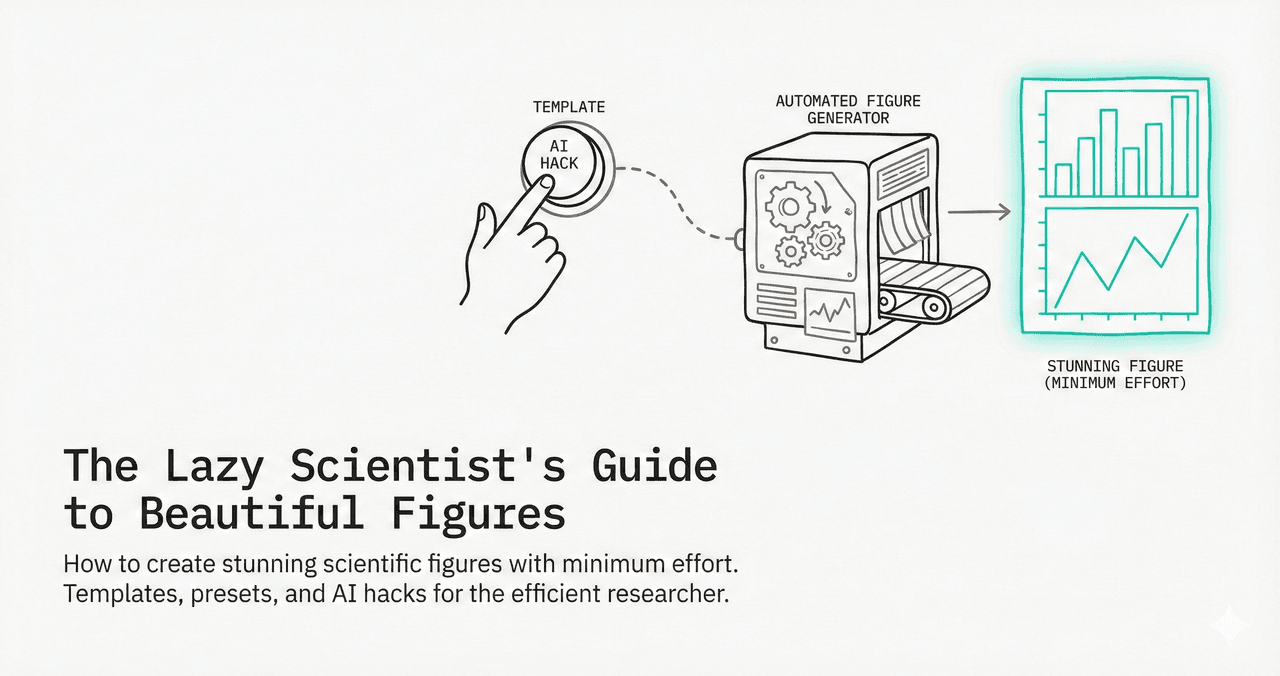
You are not paid by the hour for figure formatting. Here are five strategies to cut your figure-making time by 80% while actually improving quality.
Strategies
0.Live Code: Template-Based Figure
1.The 80/20 Rule of Figures
2.Build a Personal Style Template
3.Use AI to Skip the Boilerplate
4.Batch Processing Workflow
5.Color Palette Shortcuts
0. Live Code: Template-Based Figure
Define your style once, then every figure you create automatically uses the right fonts, colors, and formatting. This 3-panel figure took 30 seconds to customize.
1. The 80/20 Rule of Figures
80% of your figure time goes to formatting, not analysis. The fix is simple: separate style from content. Define your formatting once, then apply to every figure.
Manually formatting each figure
WasteWriting a reusable style template
InvestmentApplying template to new data
Payoff2. Build a Personal Style Template
Try it
Try it now: turn this method into your next figure
Apply the same approach to your own dataset and generate clean, publication-ready code and plots in minutes.
Open in Plotivy Analyze →Newsletter
Get a weekly Python plotting tip
One concise tip each week for cleaner, faster scientific figures. Built for researchers who publish.
lab_style.py (save once, import everywhere)
# lab_style.py - Import this at the top of every plotting script
import matplotlib
LAB_STYLE = {
    "font.family": "Arial",
    "font.size": 8,
    "axes.spines.top": False,
    "axes.spines.right": False,
    "axes.linewidth": 0.8,
    "figure.dpi": 150,
    "savefig.dpi": 600,
    "savefig.bbox": "tight",
}
PALETTE = ["#0072B2", "#E69F00", "#CC79A7", "#56B4E9", "#009E73"]

def apply():
    matplotlib.rcParams.update(LAB_STYLE)
3. Use AI to Skip the Boilerplate
Instead of writing plotting code from scratch, describe what you want. AI tools generate the code, you edit the result.
Example Prompt
"Create a 2-panel figure: panel A is a grouped bar chart with SEM error bars comparing 3 treatment groups, panel B is a Kaplan-Meier survival curve. Use Arial 8pt, Nature single-column width."
4. Batch Processing Workflow
Process all CSV files in a folder
import glob
import pandas as pd

for csv_file in glob.glob("data/*.csv"):
    df = pd.read_csv(csv_file)
    fig, ax = plt.subplots(figsize=(3.5, 2.8))
    # ... your standard plot code here ...
    name = csv_file.replace("data/", "").replace(".csv", "")
    fig.savefig(f"figures/{name}.tiff", dpi=600)
    plt.close(fig)
    print(f"Generated: figures/{name}.tiff")
Pro Tip
Close figures with plt.close(fig) in loops to prevent memory leaks. Matplotlib keeps all figures in memory until you explicitly close them.
5. Color Palette Shortcuts
Wong Palette
#000 #E69F00 #56B4E9 #009E73 #F0E442 #0072B2 #D55E00 #CC79A7
Colorblind-safe. 8 maximally distinct colors.
Viridis
matplotlib.cm.viridis
Perceptually uniform. Best for sequential data (heatmaps).
Tab10
matplotlib default
Good for up to 10 qualitative categories.
Custom Lab
#0072B2 #E69F00 #CC79A7 #56B4E9
Define 4-5 color-blind safe colors and reuse across all papers.
Chart gallery
Chart Templates to Start From
Skip the blank canvas. Start from a template close to what you need.

Bar Chart
Create a bar chart in Python to compare categorical values with proportional bars, error bars, clear labels, and grouped comparisons.
Sample code / prompt
import numpy as np
import pandas as pd
import matplotlib.pyplot as plt
import seaborn as sns
from scipy import stats

# Generate performance scores for 5 treatment groups
np.random.seed(42)
groups = ['Control', 'Treatment A', 'Treatment B', 'Treatment C', 'Treatment D']
n_samples = 30
Scatterplot
A scatter plot displays two quantitative variables as points, helping you examine relationships, clusters, outliers, and regression trends.
Sample code / prompt
import matplotlib.pyplot as plt
import numpy as np
from scipy import stats
import pandas as pd

# Generate sample data
np.random.seed(42)
n_samples = 200
height = np.random.normal(170, 8, n_samples)
weight = height * 0.6 + np.random.normal(0, 8, n_samples) - 50
Line Graph
Create a line graph in Python to connect ordered data points, reveal time-series trends, and compare how multiple values change across a continuous scale.
Sample code / prompt
import matplotlib.pyplot as plt
import numpy as np

# Generate temperature data for 3 major US cities over 12 months
months = ['Jan', 'Feb', 'Mar', 'Apr', 'May', 'Jun', 'Jul', 'Aug', 'Sep', 'Oct', 'Nov', 'Dec']
nyc = [30, 32, 40, 52, 65, 75, 82, 81, 74, 63, 50, 38]
miami = [65, 66, 70, 76, 82, 87, 90, 90, 87, 80, 72, 66]
chicago = [25, 27, 35, 48, 62, 72, 80, 79, 71, 60, 45, 32]

# Create figure with enhanced styling
Heatmap
Represents data values as colors in a two-dimensional matrix format.
Sample code / prompt
import matplotlib.pyplot as plt
import seaborn as sns
import pandas as pd
import numpy as np

# Create correlation matrix for financial metrics
metrics = ['Revenue', 'Profit', 'Expenses', 'ROI', 'Customers', 'AOV', 'Marketing', 'Employees']
correlation_data = np.array([
    [1.00, 0.85, -0.45, 0.72, 0.88, 0.65, 0.72, 0.55],
[0.85, 1.00, -0.78, 0.92, 0.75, 0.58, 0.63, 0.48],.png&w=1280&q=70)
Box and Whisker Plot
Create a box plot in Python to compare distributions using quartiles, medians, whiskers, and outliers.
Sample code / prompt
import numpy as np
import pandas as pd
import matplotlib.pyplot as plt
import seaborn as sns
from scipy import stats

# Generate gene expression data for 4 genotypes
np.random.seed(42)
genotypes = ['WT', 'KO1', 'KO2', 'Mutant']
n_per_group = 20
Violin Plot
Combines box plots with kernel density to show distribution shape across groups.
Sample code / prompt
import matplotlib.pyplot as plt
import seaborn as sns
import pandas as pd
import numpy as np
from scipy.stats import f_oneway

# Generate exam score data for 3 groups
np.random.seed(42)
control = np.random.normal(72, 12, 50)
treatment_a = np.random.normal(78, 10, 50)Technique guides scientists read next
scipy.signal.find_peaks guide
Tune prominence and width parameters for robust peak extraction.
Savitzky-Golay smoothing
Reduce noise while preserving peak shape and position.
PCA visualization workflow
Move from high-dimensional measurements to interpretable components.
ANOVA with post-hoc brackets
Add statistically correct pairwise significance annotations.
Found this helpful? Share it with your network.
Experimental Physicist & Photonics Researcher
Hands-on experience in silicon photonics, semiconductor fabrication (DRIE/ICP-RIE), optical simulation, and data-driven analysis. Built Plotivy to help researchers focus on discoveries instead of data struggles.
More about the authorVisualize your own data
Apply the techniques from this article to your own datasets. Upload CSV, Excel, or paste data directly.